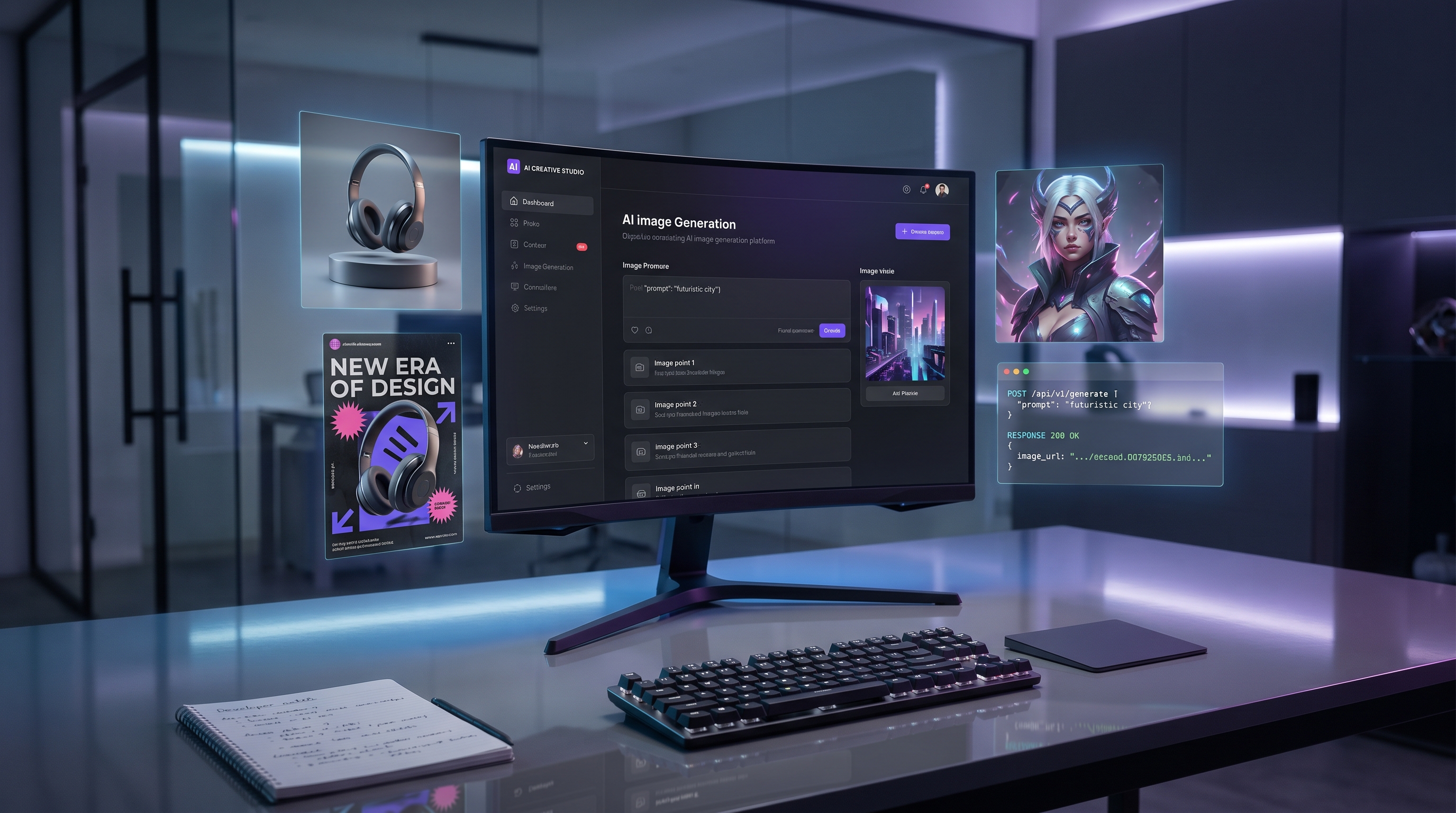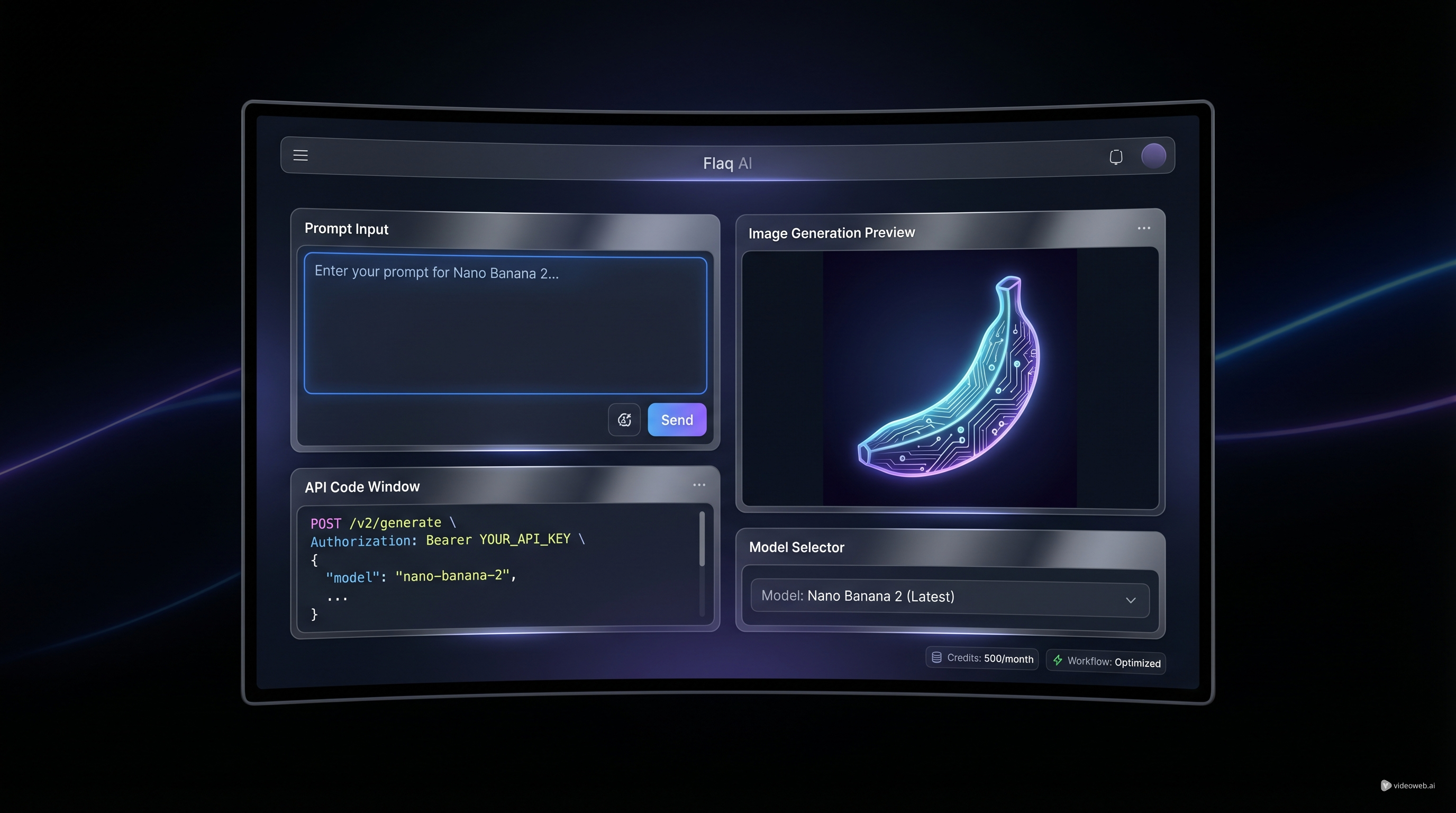
If you are trying to choose an image model for app features, batch content production, or fast creative testing, speed and workflow usually matter more than hype. That is where Flaq AI becomes interesting. Instead of forcing you to choose between “just try it online” and “build with an API,” the platform gives you both on the same model page. You can test prompts directly in the playground, review outputs, then move into integration when you are ready.
如果你正試圖為應用程式功能、大量內容製作或快速創意測試選擇影像模型,速度與工作流程通常比話題熱度更重要。這正是 Flaq AI 變得有趣的地方。這個平台不是強迫你在「直接上線試用」與「使用 API 開發」之間二選一,而是把兩種方式都放在同一個模型頁面上。你可以先在 playground 中直接測試提示詞、檢視輸出結果,準備好之後再進入整合階段。
That makes the Nano Banana 2 API a practical option for people who want less friction between experimentation and production. It is useful for developers who need a reliable image endpoint, but it is also friendly to creators, marketers, and product teams who want to understand model behavior before writing code.
這也讓 Nano Banana 2 API 成為一個對「想降低實驗與正式上線之間阻力」的人來說相當務實的選擇。它對需要穩定影像端點的開發者很有幫助,同時也對希望在寫程式前先理解模型行為的創作者、行銷人員與產品團隊相當友善。
This guide is built around that real-world use case. Instead of treating the model as a black box, it will help you understand what it is good at, how to test it on Flaq AI, how to think about cost, and when it makes sense to move from direct online use to API-based workflows.
本指南就是圍繞這種真實情境設計的。它不會把模型當成黑盒子,而是會幫助你理解它擅長什麼、如何在 Flaq AI 上測試、如何思考成本,以及何時該從直接在線上使用轉向以 API 為主的工作流程。
Why Nano Banana 2 Is a Useful Starting Point
為什麼 Nano Banana 2 是實用的起點
A lot of model guides begin with specs. Most users begin with a simpler question: will this actually fit my workflow?
許多模型指南都從規格講起,但多數使用者心中的第一個問題其實更簡單:這到底適不適合我的工作流程?
That is the right place to start. The value of the Google Nano Banana API is not just that it can generate images quickly. The real benefit is that it fits a common modern workflow very well: test an idea, refine a prompt, lock in a style, and then scale it.
從這裡開始思考才是正確的。Google Nano Banana API 的價值不只在於它能快速生成圖片,更關鍵的是它非常符合現代常見的工作流程:測試一個想法、打磨提示詞、固定風格,然後放大規模。
On Flaq AI, that workflow feels natural because the same page supports both direct use and API access. You can open the model, write a prompt, choose an aspect ratio, select a resolution, and generate an image without leaving the interface. Then, if your test works, the API section and docs are already part of the same ecosystem.
在 Flaq AI 上,這樣的流程會顯得非常自然,因為同一個頁面同時支援直接使用與 API 存取。你可以打開模型、撰寫提示詞、選擇長寬比、挑選解析度並生成圖片,完全不需要跳出這個介面。接著,如果測試結果可行,API 區塊與文件也已經在同一個生態系裡就緒。
That matters because many teams do not need a “perfect” model first. They need a model they can learn fast, use immediately, and operationalize later.
這點很重要,因為許多團隊一開始並不需要一個「完美」的模型。他們需要的是一個能快速上手、立即使用,並且日後可以制度化導入流程的模型。
In other words, the best entry point is often not the most premium option. It is the one that helps you move quickly without losing control.
換句話說,最好的切入點往往不是規格最高的選項,而是能讓你「動得快,又不失去掌控」的那一個。
What the Model Is Good At
模型擅長什麼
The strongest reason to consider the Nano Banana 2 API is speed-to-output. If your goal is rapid testing, visual ideation, or high-volume generation, a fast and cost-conscious model can be more valuable than a slower premium image system.
考慮使用 Nano Banana 2 API 的最大理由,是它的輸出速度。如果你的目標是快速測試、視覺發想,或大量生成,一個速度快、成本友善的模型,往往比一個較慢但高階的影像系統更有實際價值。
That makes Nano Banana 2 a strong fit for:
- creative concept testing
- social media image generation
- product mockups and quick ad visuals
- internal design exploration
- app features that require frequent image generation
- workflows where turnaround time matters as much as image quality
這讓 Nano Banana 2 特別適合:
- 創意概念測試
- 社群媒體圖片生成
- 產品模型與快速廣告視覺
- 內部設計探索
- 需要頻繁生成圖片的應用功能
- 回應時間與畫質同樣重要的工作流程
This does not mean the model is only for rough drafts. It means its biggest strength is momentum. You can iterate more freely, compare prompt styles faster, and get to a usable output without building a heavy pipeline around every single request.
這並不是說這個模型只適合做「草稿」。真正的意思是,它最大的優勢在於「推進力」。你可以更自由地迭代、更快比較不同提示詞風格,並在不需要替每一次請求都建一套龐大流程的情況下,取得足以實際使用的輸出。
For many users, that is exactly where value shows up.
對許多使用者來說,價值就是在這個環節真正浮現。
How to Use Nano Banana 2 on Flaq AI Before You Write Code
在寫程式之前,如何在 Flaq AI 上使用 Nano Banana 2
One of the smartest things about Flaq AI is that it does not force you into development mode too early. Before you even think about implementation, spend time in the playground.
Flaq AI 相當聰明的一點是,它不會太早把你推進「開發模式」。在你開始思考實作之前,先花點時間在 playground 裡探索。
That first stage should be simple.
第一階段應該保持簡單。
Open the Nano Banana 2 API page, start with a short prompt, choose a format such as 16:9 or another aspect ratio that fits your use case, then pick the resolution you want. If you are testing marketing visuals, that might mean a wide layout. If you are making social creatives, you may want something more vertical or square.
打開 Nano Banana 2 API 頁面,先從一個簡短的提示詞開始,選擇 16:9 等適合你情境的畫面比例,再挑一個你需要的解析度。如果你在測試行銷視覺,可能會偏好較寬的版面;如果你在製作用於社群的創意素材,則可能會選擇較直式或方形的構圖。
The important part is not writing the longest prompt. It is learning how the model responds.
關鍵不在於把提示詞寫得多長,而在於理解模型是如何回應的。
A strong first prompt is usually built from just a few ingredients:
- subject
- setting
- visual style
- camera or framing direction
- output purpose
一個好的初始提示詞,通常只需要幾個要素:
- 主體
- 場景/環境
- 視覺風格
- 鏡頭或構圖指示
- 輸出用途
For example, instead of writing a giant paragraph full of adjectives, try something more readable:
“Minimalist skincare bottle on a white vanity, soft daylight, premium beauty ad style, clean composition.”
例如,你不必寫一大段堆滿形容詞的文字,可以試試這種更容易閱讀的寫法:
「簡約風保養品瓶身放在白色梳妝台上,柔和日光,高級保養品廣告風格,畫面構圖乾淨。」
That kind of prompt is easier to judge. You can tell what the model understood, what it ignored, and what needs to change.
這樣的提示詞比較容易判斷:你能看出模型理解了哪些、忽略了哪些,以及哪些地方需要調整。
Once you find a pattern that works, you are already in a much better place to move into automation.
一旦你找出有效的模式,就已經為進一步的自動化打下很好基礎。
When to Switch from Playground to API
何時該從 Playground 轉向 API
The jump from direct use to API is not about technical ambition. It is about repetition.
從直接使用跳到 API,關鍵不是技術企圖心,而是「重複性」。
If you only need a handful of images and want to work manually, staying inside Flaq AI may be enough. The platform already supports direct online use, so you can keep generating inside the same environment without building anything extra.
如果你只需要少量圖片,而且打算以人工操作為主,待在 Flaq AI 介面裡就足夠了。平台已經支援線上直接使用,你可以一直在同一個環境內生成,不需要額外開發。
But once your process becomes repetitive, the API starts to matter. That is where the Google Nano Banana API becomes more than a test tool.
但當你的流程開始變得有「重複模式」時,API 就變得重要了。Google Nano Banana API 在這個階段就不只是測試工具。
You should consider integrating it when:
- you need the same generation logic repeatedly
- your app or product includes image creation as a feature
- your team is producing content at scale
- you want more predictable automation around prompt templates
- you need generation to fit into a larger production system
你應該考慮整合 API 的情況包括:
- 你需要一再重複相同的生成邏輯
- 你的應用或產品本身包含影像生成功能
- 你的團隊在規模化產出內容
- 你希望圍繞提示詞模板建立更可預測的自動化流程
- 你需要把生成流程嵌入更大的製作系統
In practical terms, the best workflow is often this: test in the playground first, refine your prompt structure, then move to the API once you understand how the model behaves.
實務上,最有效率的流程通常是:先在 playground 測試、打磨你的提示詞結構,等到你理解模型的行為後,再切換到 API。
That saves time, reduces trial-and-error in development, and keeps your prompt logic grounded in real output instead of guesswork.
這樣可以節省時間、減少開發階段的反覆試誤,並讓你的提示詞邏輯建立在「實際輸出結果」而不是猜測上。
How to Think About Nano Banana 2 Pricing
如何看待 Nano Banana 2 的定價
Users often ask for a single number, but Nano Banana 2 price is better understood as a workflow decision.
使用者常希望得到一個明確數字,但 Nano Banana 2 price 更應該被視為一個「工作流程選擇」問題。
Why? Because cost is not just about the model name. It is about how often you generate, what resolution you need, how many prompt iterations it takes to get a usable result, and whether speed helps you reduce other production costs.
為什麼?因為成本不只是模型名稱的問題,而是與你生成的頻率、需要的解析度、為得到可用成果要迭代多少次提示詞,以及「速度是否能幫你降低其他製作成本」有關。
That is why Nano Banana 2 API price should be evaluated in context.
這也是為什麼 Nano Banana 2 API price 必須放在實際情境裡評估。
A lower-cost model is valuable when it lets you:
- test more ideas in less time
- reduce the cost of failed creative directions
- generate in higher volume without overthinking every request
- build a lighter image stack for internal or customer-facing tools
當一個較低成本的模型能讓你:
- 在更短時間測試更多點子
- 降低失敗創意方向的代價
- 以較高頻率生成,而不必為每次請求思前想後
- 為內部或客戶端工具建立更輕量的影像技術堆疊
它的價值就會非常明顯。
On Flaq AI, the platform structure also helps here. You can test the model directly, understand how much iteration your use case requires, and then decide whether it is cost-effective for your workload.
在 Flaq AI 上,平台本身的架構也能幫上忙。你可以直接測試模型,了解你的使用情境需要多少次迭代,之後再判斷它對你的工作量來說是否划算。
That is a much healthier way to think about price than chasing a model just because it sounds premium.
這比單純因為某個模型聽起來「高階」就追著用,要健康得多。
When Nano Banana Pro Makes More Sense
什麼時候 Nano Banana Pro 更適合
Fast models are useful, but there are cases where higher-end output becomes the priority. That is where the Nano Banana Pro API enters the conversation.
高速模型很有用,但在某些情況下,更高階的輸出品質才是優先考量。這就是 Nano Banana Pro API 該被納入考慮的時機。
The simplest way to compare them is this:
Use Nano Banana 2 when speed, iteration, and cost efficiency matter most. Use Pro when the quality ceiling becomes the bottleneck.
比較兩者最簡單的方式是:
當速度、迭代與成本效率最重要時,用 Nano Banana 2。
當畫質上限成為瓶頸時,改用 Pro。
That upgrade may make sense if you are working on:
- premium commercial visuals
- more demanding art direction
- high-resolution branded content
- detailed compositions where small visual decisions matter more
- projects where the final render matters more than the volume of testing
若你正處理下列類型的工作,升級就會很有意義:
- 高級商業視覺
- 要求更高的美術指導
- 高解析度品牌內容
- 細節構圖,小小的視覺決定都很重要
- 最終成品畫面比測試量更關鍵的專案
A good practical rule is to prototype with Nano Banana 2 first. Once you know the concept works, move up only if the output quality becomes the limiting factor.
一個實用的原則是:先用 Nano Banana 2 做原型驗證,確定概念可行後,只在「畫質成為限制」時再往上升級。
That is a more efficient approach than starting with the premium model every time.
這比一開始就總是用最高階模型要有效率得多。
A Smarter Way to Build a Repeatable Workflow
建立可重複工作流程的更聰明作法
The biggest mistake people make with image APIs is treating every request as a brand-new experiment.
許多人在使用影像 API 時最大的錯誤,就是把每一次請求都當成全新的實驗。
A better strategy is to build a reusable prompt structure. Once you know what the model responds to, keep that format and swap only the parts that matter.
更聰明的策略,是建立一個可重複使用的提示詞結構。當你知道模型對哪些元素反應明顯後,就固定這個格式,只替換真正重要的部分。
A useful structure might look like this:
subject + environment + style + composition + purpose
一個實用的結構可能像這樣:
主體 + 環境 + 風格 + 構圖 + 用途
Example:
“Ceramic coffee mug on a wooden breakfast table, warm morning light, lifestyle photography style, close-up composition, social ad creative.”
範例:
「陶瓷咖啡杯放在木質早餐桌上,溫暖晨光,生活風攝影風格,近景構圖,用於社群廣告創意。」
This helps in two ways. First, it makes prompt behavior easier to predict. Second, it makes your API usage cleaner because your generation logic becomes modular instead of improvised.
這在兩個面向上很有幫助:第一,你比較容易預測提示詞的效果;第二,你的 API 使用會更乾淨,因為生成邏輯是模組化的,而不是臨場發揮。
That is where the Nano Banana 2 API becomes more than a model endpoint. It becomes part of a system you can actually manage.
在這個層次上,Nano Banana 2 API 不再只是一個模型端點,而是成為一套你真正可以管理的系統的一部分。
Final Thoughts
結語
The best reason to use Flaq AI is not just that it hosts Nano Banana 2. It is that it makes the full workflow easier to understand.
使用 Flaq AI 的最大理由,不只是因為它提供 Nano Banana 2,而是它讓整個工作流程更容易掌握。
You can test the model online, compare outputs, review the docs, and move into integration without changing platforms. That makes the Google Nano Banana API especially useful for teams that want a practical path from idea to implementation.
你可以在線上測試模型、比較輸出結果、查看文件,並在不必換平台的情況下走向整合。這使得 Google Nano Banana API 對那些希望從「想法」順利走到「實作」的團隊特別實用。
If your priority is fast image generation, cleaner testing, and an easier bridge between direct use and API access, Nano Banana 2 is a very sensible place to start. And if your needs grow later, Flaq AI already gives you a broader model stack to build on.
如果你的優先需求是快速影像生成、更乾淨的測試流程,以及在「直接使用」與「API 存取」之間建立更平順的橋樑,那麼 Nano Banana 2 會是非常合理的起點。日後若需求升高,Flaq AI 也已經提供更廣泛的模型組合供你進一步擴展。
Tools to Recommend
推薦工具
- Nano Banana 2 API:適合快速、成本意識強的影像生成與直接在 playground 測試
- Nano Banana Pro API:用於更高階的影像輸出與進階視覺作品
- Nano Banana AI:適合想直接線上使用、不想一開始就進行整合的人
- Seedream 4.5 API:提供另一種視覺風格的影像生成工作流程
- Wan 2.6 Image-to-Video API:將靜態圖片轉換為動態影像
- Veo 3.1 Text-to-Video API:用於較高階的電影感文字轉影片生成
Related Articles
相關文章
- Kling 3 API Guide: Standard vs Pro, Pricing, and How to Use It on Flaq AI
- Is Wan 2.7 Open-Source, API-Only, or Platform-First? What to Expect Next
- Browse More Flaq AI Model Guides
People Also Read
延伸閱讀
- Nano Banana 2 API Guide: Pricing, Access, and the Best Way to Use It in 2026
- Nano Banana 2 vs Nano Banana Pro: What Changed and Which One Fits Your Workflow?
- How to Use Nano Banana 2 for AI Image Generation and Editing
- Nano Banana 2 vs Seedream 5.0: A Practical Comparison Guide
- How to Use the AI Music Video Generator: A Detailed Guide from Song to Video