If you are researching Kling 3.0 right now, the key question is not only whether the model is good. It is whether there is a practical place to test it, compare its versions, and move from experimentation to real integration. That is why the Kling AI API is worth looking at through Flaq AI.
Flaq does something useful for both creators and developers. It lets you use Kling 3.0 directly in an online playground, but it also exposes a developer-facing API workflow on the same set of model pages. That matters because Kling 3.0 is not just one model. It is a small family of video APIs covering text-to-video and image-to-video, with both Standard and Pro tiers.
For marketers, creators, and agencies, this means you can prompt and test clips before committing engineering time. For developers, it means the same page can become the starting point for the Kling 3 API inside a product, creative tool, or automation workflow.
What Kling 3.0 actually includes
A lot of articles talk about Kling 3.0 as if it were a single feature. In practice, the more useful way to think about it is as four closely related access paths.
The first is the Kling 3 STD Text to Video API. This is the most natural starting point for teams that want prompt-based video generation at a more affordable level. It is designed for text-led creation and works well when you need lots of variations, quick iteration, or lower testing costs.
The second is the Kling 3 STD Image to Video API. This version makes more sense when you already have a still image and want to animate it instead of generating a full scene from scratch. That can be more efficient for product demos, marketing assets, and social clips where the visual starting point must stay controlled.
The third is the Kling 3 PRO Text to Video API. This is the stronger option for users who want more premium motion quality, more polished scene behavior, and higher production value in prompt-based generation.
The fourth is the Kling 3 PRO Image to Video API. This one is especially relevant when subject consistency and polished animation matter more than raw output volume. For agencies, branded content teams, and higher-end campaign work, Pro image-to-video is often the most controlled route.
Across the family, Flaq’s current Kling pages support short-form video generation, common social and cinematic aspect ratios, and optional audio settings. That means the real decision is usually not “Should I use Kling?” but “Which Kling workflow fits this job?”
Why Flaq AI is a practical access point
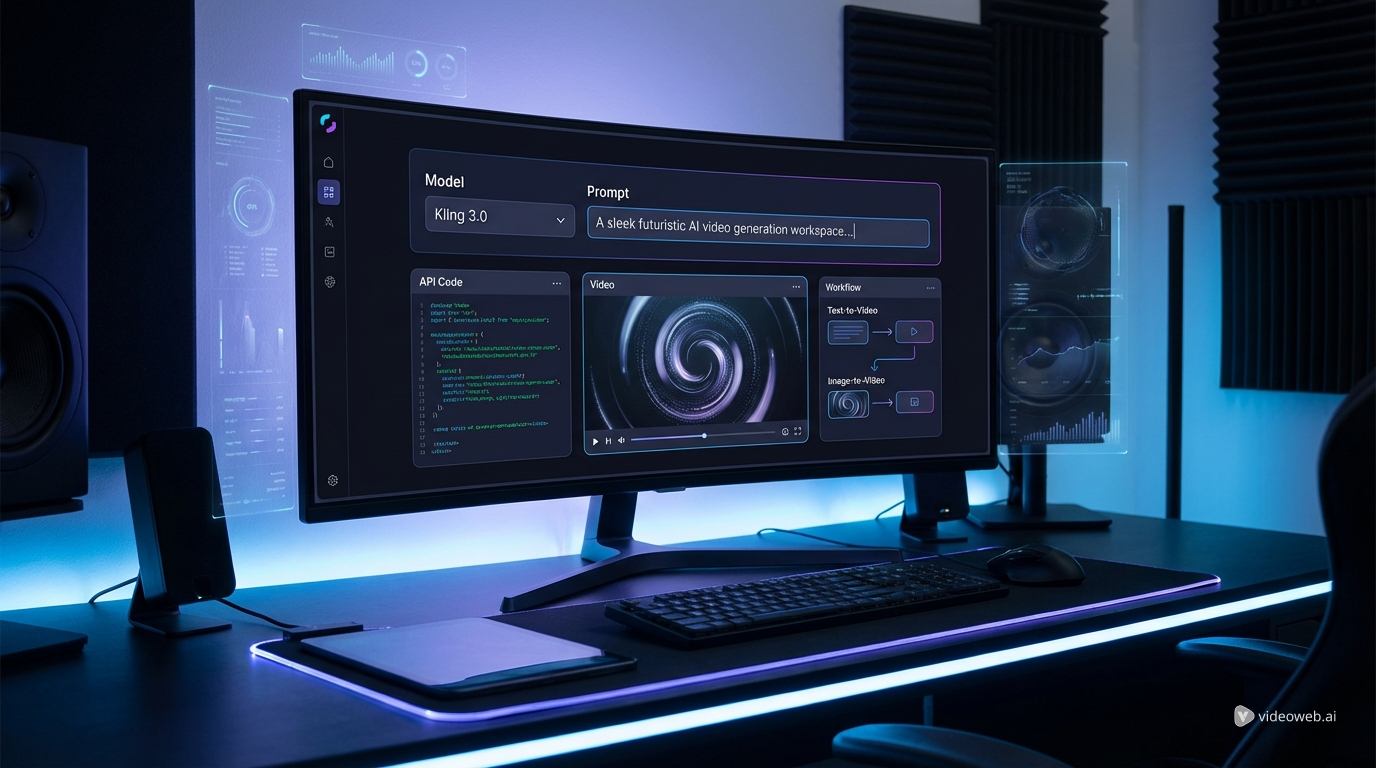
The biggest reason to recommend Flaq is not branding. It is workflow design. On the same platform, you can test prompts, try settings, and see actual output in a playground, then switch to API examples when you are ready to build.
That bridge matters. Most teams do not start with code. They start with experiments. A creator wants to see whether a motion concept works. A marketer wants to compare tone and pacing. A product team wants to verify that a video model is good enough before building it into an application. Flaq supports that sequence naturally.
This is also why the platform works well for people comparing it with other directed-video tools. If you are searching for a Higgsfield API alternative, Kling 3.0 belongs in the shortlist because it covers both text-to-video and image-to-video within the same broader API environment.
In simple terms, Flaq makes Kling 3.0 easier to judge in real use, not just in theory.
How to use Kling 3.0 on Flaq AI
The first step is choosing the right version. If your idea begins with words and scene description, start with a text-to-video endpoint. If you already have a reference image, a poster frame, or a product shot, image-to-video is usually the better path because it keeps composition more stable.
From there, the process is straightforward. Open the model page, write a detailed prompt or upload the source image, choose duration and aspect ratio, adjust optional settings like sound or prompt guidance, and generate. This direct-use layer is one of the main reasons the Kling AI API is easier to recommend on Flaq than in a purely technical environment.
For text-to-video, the best prompts usually include a subject, environment, motion, camera feel, lighting, and mood. For image-to-video, the useful prompt detail shifts slightly toward movement intent, pacing, camera motion, and scene atmosphere. In both cases, the output improves when the instruction is more visual and less vague.
Once the playground output looks promising, move to the API tab. This is where Flaq becomes especially helpful for developers. The platform shows request structure and code examples, which means teams can move from manual testing to actual implementation without reinventing the entire workflow.
That combination of direct online use and API acquisition is the strongest practical reason to recommend Flaq for Kling 3.0 access.
How to think about Kling API pricing
Many readers searching for Kling API pricing want a single answer, but pricing makes more sense when you treat it as a workflow decision.
Standard and Pro do not simply reflect two price points. They reflect two working styles. Standard is the version that usually makes the most sense when volume, experimentation, and cost control matter more than maximum polish. If you are generating many creative tests, social variants, early ad concepts, or fast agency drafts, Standard is often the smarter place to begin.
Pro becomes more appealing when motion fidelity, visual richness, and premium presentation matter more. For brand-facing campaign assets, character-focused storytelling, and higher-end client work, paying more can make sense if it reduces the number of failed runs or improves the usable quality of the final output.
There is also a second layer to the value question: text-to-video versus image-to-video. If subject identity or composition needs to stay stable, image-to-video can be more cost-efficient because it starts from a controlled frame. If exploration matters more than control, text-to-video is often the better creative route.
So the most useful way to discuss Kling API pricing is this: do not ask only what one run costs. Ask which version gets you to the right clip faster, with fewer wasted attempts.
Which Kling 3.0 workflow is best for each use case
For teams producing social content at scale, the Kling 3 STD Text to Video API is the easiest entry point. It is a good fit for creative testing, campaign variations, and content pipelines where speed and budget both matter.
For product marketers, e-commerce teams, and agencies working from still assets, the Kling 3 STD Image to Video API is often the more efficient choice. It lets you animate a known visual starting point rather than rebuild the whole composition from prompt alone.
For premium social ads, more cinematic branded clips, or character-heavy concepts, the Kling 3 PRO Text to Video API is the stronger option. It is the version to consider when your prompt needs to translate into something that feels more refined and presentation-ready.
For polished product showcases, controlled character movement, and high-end campaign animation, the Kling 3 PRO Image to Video API is the most production-oriented route in the family.
A simple rule works well here. Use Standard when you want scale. Use Pro when you want polish. Use text-to-video when the idea is still forming. Use image-to-video when the visual identity is already clear.
Other Flaq APIs worth recommending
Even if Kling 3.0 is the focus of the article, Flaq is more useful when you see it as a broader video API hub.
If you want a premium Google route, Veo 3.1 text-to-video API is worth comparing for audiovisual storytelling and premium generation workflows. If you want another hosted video option with a different balance of cost and output style, Seedance 1.5 Pro text-to-video API is a practical alternative. For users who want broader experimentation across both text-to-video and image-to-video lanes, Wan 2.6 text-to-video API and Wan 2.6 image-to-video API are also worth a look.
This matters because different projects do not always need the same kind of model. Kling 3.0 may be the right answer for one campaign, while Veo or Wan may be better for another. Flaq makes that comparison easier because the surrounding APIs are available in the same environment.
Final verdict
Kling 3.0 is not just one video endpoint. It is a flexible set of Standard and Pro APIs that cover both text-to-video and image-to-video workflows. That is exactly why Flaq AI is a good place to access it. The platform supports direct online generation for testing, but it also gives developers a clear way to acquire and work with the API.
If your priority is scale, start with Standard. If your priority is premium output, move toward Pro. If your creative direction is still open, choose text-to-video. If you already know what the scene should look like, image-to-video is usually the more controlled option.
That makes Flaq a practical recommendation rather than a theoretical one. It lets teams test the right Kling version first, then move into integration only after the workflow is proven.
Related Article
- More Articles & News about Flaq AI
- VEO 3.1 Text-to-Video API on Flaq AI: Features, Pricing, and How to Use It
- Is Wan 2.7 Open-Source, API-Only, or Platform-First? What to Expect Next
People Also Read
- How to Use the AI Music Video Generator: A Detailed Guide from Song to Video
- Veo 3.1 Video Generation Guide: How to Create Cinematic Clips
- Kling 3.0 Review: Is It the Right AI Video Tool, or Should You Start Simpler?
- Higgsfield AI Motion Control with Kling 3.0
- Kling 3.0 Review: Is It the Best AI Video Generator Yet in 2026?
- The 2026 Image-to-Video Guide for Sea Imagine AI: Best Models & Prompts