Introduction
High-end AI video generation is moving fast, and one of the most closely watched models right now is Google Veo 3.1. For developers, creative teams, and product builders, the biggest attraction is not just visual quality. It is the ability to access a premium text-to-video model through an API workflow that is easier to test, scale, and integrate.
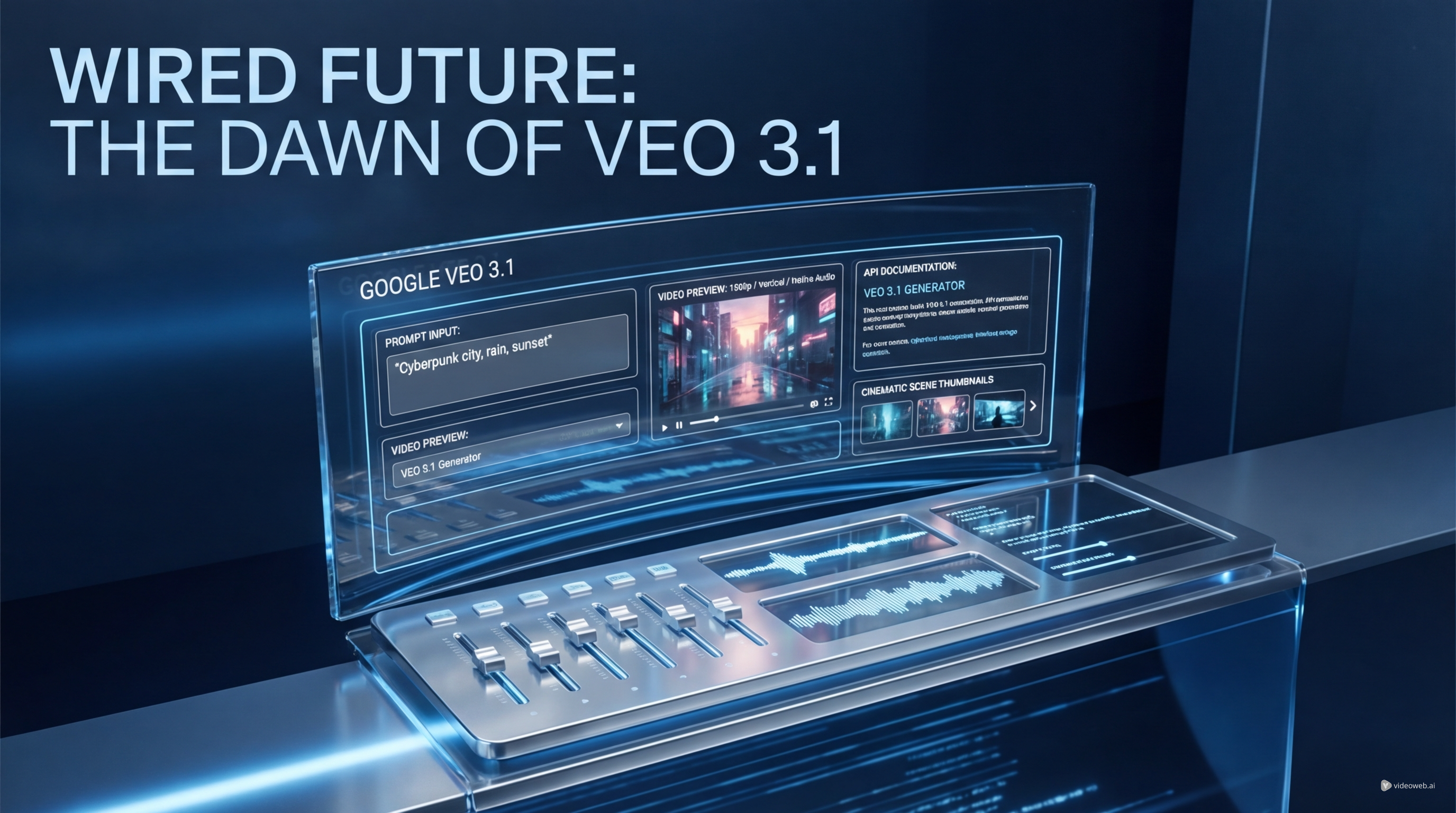
That is where Veo 3.1 API on Flaq AI becomes especially relevant. Instead of treating advanced video generation as a closed demo experience, Flaq presents it as a practical model page with playground access, documentation, and developer-friendly structure. If you want to experiment with cinematic prompting, native audio, and higher-end output, this is the kind of access point that makes the model more useful in real workflows.
This guide breaks down what the API offers, how to use it, how to think about Veo 3.1 API pricing, and who should seriously consider building with it.
What Is VEO 3.1 on Flaq AI?
At a practical level, Google Veo 3.1 on Flaq AI is a text-to-video generation model page built for users who want direct access to a premium Google video workflow. It is positioned for prompt-based video creation rather than simple preset generation, which means the model is meant to respond to detailed instructions around scene, subject, motion, sound, and cinematic style.
That is an important distinction. Many AI video tools are optimized for casual generation, but Veo 3.1 API is more interesting for teams that want controllable outputs and a clearer path into production use.
You can think of Gemini Veo 3.1 as part of a broader Google-native AI ecosystem, but in this context the main advantage is access. Flaq AI turns a premium video model into a usable API and playground experience for testing prompts, evaluating results, and planning real deployment.
Why Developers and Creators Care About It
There are plenty of AI video models on the market, so why does Google Veo 3.1 get so much attention?
The first reason is output ambition. Veo models are associated with stronger scene interpretation, more polished motion, and a more cinematic feel than lighter, faster video tools. That matters if your goal is not just novelty, but ad-quality, storytelling, or branded content.
The second reason is audio. A text-to-video model with native sound support can be far more useful than one that only generates visuals. For creators making short-form content, promo clips, trailers, or product demos, sound-aware prompting opens a wider range of applications.
The third reason is workflow. A hosted Veo 3.1 API makes the model relevant to more than solo creators. It becomes something agencies, SaaS builders, creative tool startups, and internal media teams can actually work with.
Key Features to Highlight
If you are writing about Gemini Veo 3.1, the strongest angle is not just “it makes videos.” The real value is in the combination of quality, control, and accessibility.
Cinematic Text-to-Video Generation
The core use case is straightforward: write a scene in natural language, then generate a video from it. This is the heart of Google Veo 3.1, and it is what makes the model attractive for creative experimentation and production prototyping.
Native Audio Support
Audio changes the equation for AI video. Instead of building silent clips and handling sound later, users can think more holistically about how a scene should feel. That makes Veo 3.1 API more attractive for cinematic clips, dialogue-led ideas, and short-form storytelling.
Higher-End Output Expectations
Premium video models matter when prompt accuracy, motion quality, and overall polish are important. If you are comparing options, Gemini Veo 3.1 is the type of model people look at when they want more than a quick experimental clip.
Developer-Friendly Access
The value of Flaq AI is that it does not stop at a model description. It frames Veo 3.1 API as something you can test, document, and integrate.
How to Use VEO 3.1 on Flaq AI
A clear how-to section makes this kind of article more useful, especially for readers who want to try the model instead of just reading about it.
1. Open the Model Page
Start with Google Veo 3.1 on Flaq AI. This gives you the basic model overview, access path, and starting point for testing.
2. Check the Docs or Playground
If you are a developer, move straight into the docs. If you are a creator or marketer, start in the playground first. That makes it easier to evaluate whether Veo 3.1 API fits your workflow before you worry about integration.
3. Write a Better Prompt
Good video prompts should include more than subject alone. Mention action, framing, lighting, tone, environment, motion, and any audio cues that matter. Premium models such as Gemini Veo 3.1 tend to reward clearer cinematic direction.
4. Choose the Right Format
Think about whether your output is meant for vertical short video, standard landscape content, or a specific publishing channel. That decision should shape how you test Google Veo 3.1 from the start.
5. Iterate in Small Rounds
With premium video models, prompt iteration matters. Make one or two changes at a time so you can actually learn what improves the result. This also helps control Veo 3.1 API pricing during experimentation.
Understanding VEO 3.1 API Pricing
Any serious article on this topic should include a section on Veo 3.1 API pricing, because cost is one of the biggest practical questions for both creators and developers.
Pricing matters differently depending on your use case.
For solo creators, cost affects whether the model is realistic for everyday experimentation or best saved for high-value projects. For teams and companies, pricing affects budget planning, testing cadence, and whether the API is viable for product integration.
The smartest way to discuss Veo 3.1 API pricing is not just to ask what one generation costs. You should also ask:
- how many test rounds will a typical project need?
- how much prompt refinement is likely before a usable result?
- is the model best for premium final outputs or early ideation?
- can the quality justify higher spend compared with cheaper video APIs?
That framing makes the article more useful because pricing is never only about one number. It is about workflow economics.
Best Use Cases for VEO 3.1
A premium model needs premium use cases. Google Veo 3.1 is most compelling when the project benefits from stronger prompting, cleaner motion, and richer audiovisual storytelling.
Ad Creative and Product Marketing
Brands and agencies can use Veo 3.1 API for product showcases, short campaign visuals, concept ads, and rapid creative prototyping.
Social Video with Higher Production Value
Short-form creators who want more cinematic material may find Gemini Veo 3.1 appealing when lighter models feel too rough or generic.
Concept Trailers and Visual Prototypes
Game teams, app teams, and internal creative groups can use Google Veo 3.1 to storyboard ideas, pitch scenes, or test motion-heavy concepts before committing to a full production process.
AI Video Features in Products
For developers, Veo 3.1 API is most interesting as an infrastructure layer. If your tool needs premium text-to-video generation with sound-aware outputs, API access matters more than a flashy demo page.
Prompting Tips for Better Results
If you want stronger output from Gemini Veo 3.1, treat prompting as scene direction.
Instead of writing “a woman walking in a city,” try something like this:
“Cinematic dusk street scene, stylish woman in a long beige coat walking past glowing storefronts, light rain reflections on the pavement, slow tracking camera, soft city ambience, realistic motion, moody but elegant tone.”
This kind of prompt gives Google Veo 3.1 more to work with: subject, setting, lighting, motion, mood, and sound. That is especially important when you are paying attention to Veo 3.1 API pricing, because clearer prompts can reduce wasteful reruns.
Is It Worth Using?
If your goal is casual experimentation at the lowest possible cost, a premium API may not be your first choice. But if your project needs stronger quality, more serious prompting, and a cleaner developer path, Veo 3.1 API on Flaq AI is a strong candidate.
That is the right conclusion for this kind of article. Google Veo 3.1 should be framed as a higher-end tool for people who care about audiovisual quality and workflow control, not just casual novelty.
Final Verdict
Veo 3.1 API on Flaq AI is worth paying attention to because it makes a premium Google video workflow more usable for real teams. The strongest angles are output quality, native audio, developer access, and the ability to test and scale through a structured API environment.
If you are covering this topic, the most useful approach is to combine three ideas: what Gemini Veo 3.1 offers, how to use it well, and how to think practically about Veo 3.1 API pricing. That gives readers something more valuable than hype: a clear reason to test the model and judge whether it fits their workflow.
Related Articles
- Articles & News about Flaq AI Media Generation Platform
- Is Wan 2.7 Open-Source, API-Only, or Platform-First? What to Expect Next
People Also Read
- How to Create High-Quality AI Videos with Veo 3.1
- Veo 3.1 Video Generation Guide: How to Create Cinematic Clips
- Try Veo 3.1 in Dream Machine AI: A Practical Guide to Text-to-Video and Image-to-Video Creation
- Veo 3.1 vs Luma Ray2 on DreamMachine AI: Which AI Video Model Fits Your Workflow?
- Veo 3.1 vs Sora 2: Which AI Video Model Performs Better?
- How to Create AI Short Video with Veo3 for TikTok & YouTube
- SeaImagine AI Text-to-Video Guide: How to Choose Models and Create Better Clips
- The 2026 Image-to-Video Guide: Best Models & Prompts