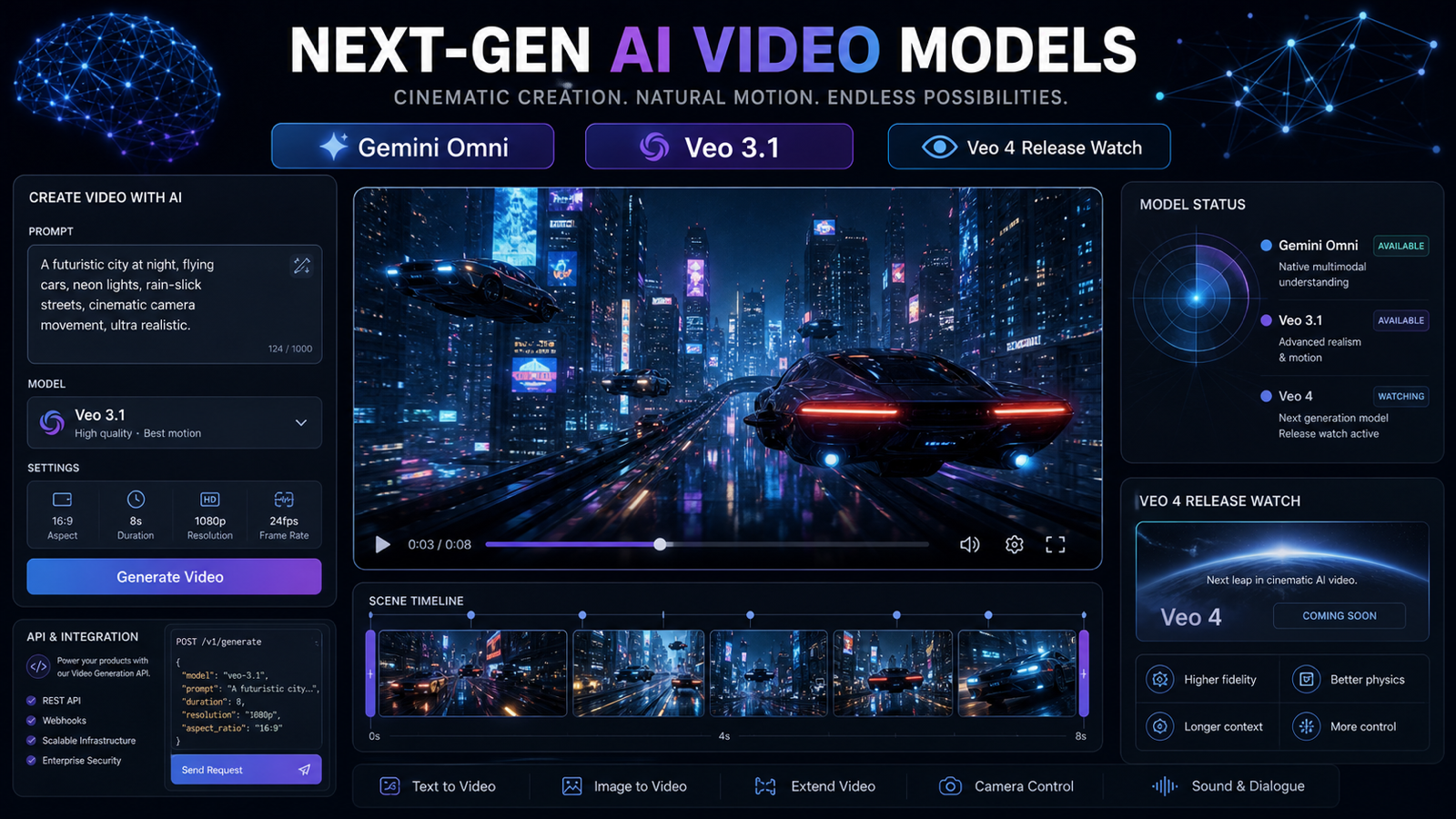
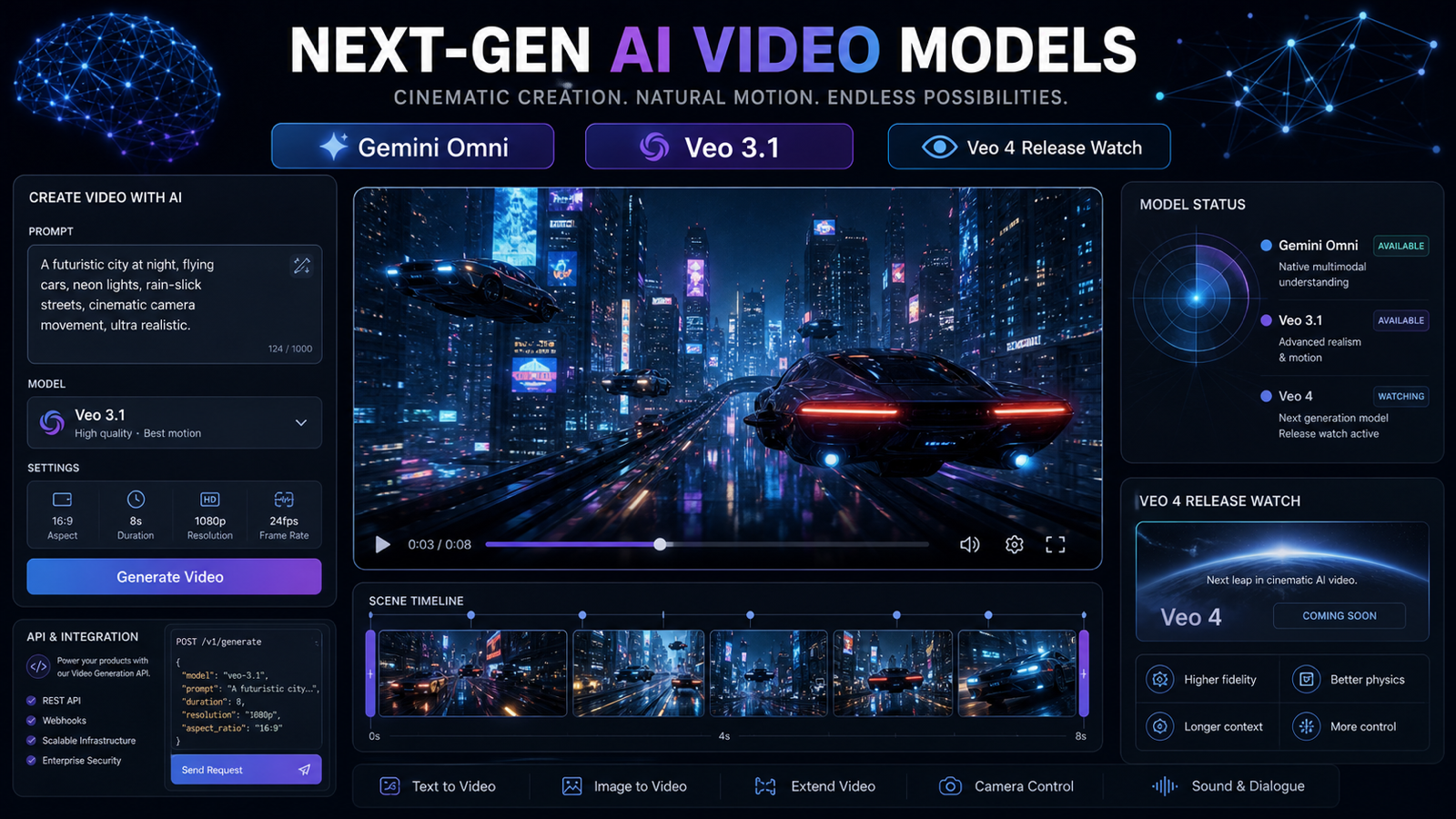
If you are searching for google gemini video updates, the practical takeaway is this: Gemini Omni is Google's new direction for AI video generation and editing, while Veo 3.1 remains the clearest available Google video model access point for text-to-video workflows on Flaq AI. Searches for "Veo 4 Google" and "Veo4 AI" are rising because creators expect a next-generation Veo model, but this article treats Veo 4 as a release-watch term unless Google confirms the name, access, pricing, and supported features.
Quick Answer for Google Gemini Video Searchers
The Google Gemini video generator story now has two layers. The first is Gemini Omni, which Google describes as a multimodal model for turning text, images, and video inputs into video outputs, with editing as part of the experience. The second is Veo 3.1, which is still the practical model name many creators and developers can test through documented API workflows and browser tools.
For creators, marketers, and developers, the safest interpretation is simple:
| Reader intent | What the reader probably wants | Practical answer |
|---|---|---|
| News tracking | Is Google moving beyond Veo inside Gemini? | Yes, Gemini Omni is the new Gemini app video direction. |
| Model naming confusion | Is Veo 4 official? | Treat "Veo 4" and "Veo4 AI" as watch terms unless Google confirms them. |
| API access | What can I test today? | Use Google Gemini video API access through Veo 3.1 on Flaq AI. |
| Prompt testing | How should I write prompts? | Use structured scene, camera, mood, lighting, audio, and duration fields. |
| Production use | Can this support ads, demos, and prototypes? | Test Veo 3.1 outputs, compare clips, and verify commercial terms before publishing. |
Google Gemini Video Is Moving Toward Gemini Omni-Style Creation
Gemini Omni matters because it changes the expected workflow from single-prompt generation to multimodal video creation and editing. Google's Gemini video generation page says Gemini Omni will replace Veo in the Gemini app and describes Gemini Omni Flash as a multimodal AI video generation and editing model. That does not make every old Veo reference obsolete across APIs, documentation, or third-party access pages, but it does show where Google's consumer Gemini video experience is heading.
For an AI video creator, the shift is practical. A Gemini Omni-style workflow can combine a text brief, product photos, existing video clips, and natural-language editing instructions. Instead of asking one prompt to carry everything, the creator can use different inputs for different jobs: text for intent, images for look and identity, video for motion reference, and editing prompts for iteration.
That is why Google Gemini AI video generation should now be understood as both a product-update topic and a workflow topic. The model names may change, but the creative habits are already useful: write clearer prompts, keep reference assets organized, test short clips, and evaluate output before building a larger campaign.
Gemini Omni Model Explained for AI Video Creators
The gemini omni model is best understood as Google's new multimodal video direction, not just a cosmetic rename. Google's own Gemini page describes Omni as combining Gemini's core intelligence with generative media capabilities, including image-to-video and video-to-video editing. In plain language, the model is designed to help users create and edit video through a more conversational, input-rich process.
For readers searching Gemini Omni video model explained, the key point is that Gemini Omni is about control through context. A creator might upload product references, describe a shot, ask for a new camera move, and then request a variation without rebuilding the whole prompt from scratch. That is different from older text-only generation habits, where every change often meant starting over.
The phrase Gemini Omni AI video generation should still be used carefully. Access, supported features, geography, account tier, commercial terms, safety filters, and API availability may vary. If you are planning a client workflow, verify current access and terms before promising a deliverable.
Gemini Omni vs Veo 3.1 vs Veo 4 Google Search Intent
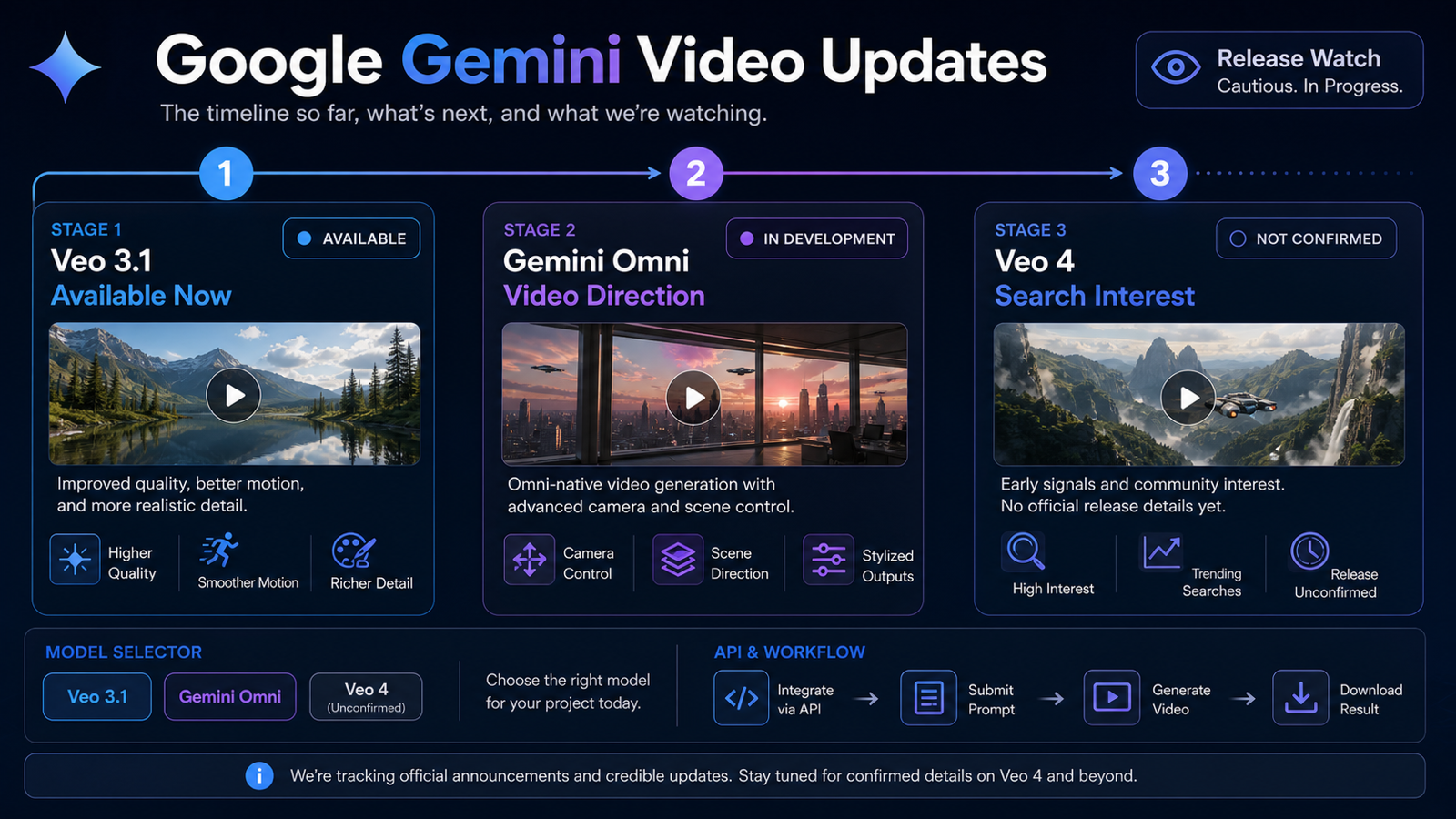
The phrase Gemini Omni vs Veo 3.1 is useful, but it should not be framed as a clean winner-takes-all comparison. Gemini Omni describes Google's new Gemini app video generation and editing direction. Veo 3.1 is the most concrete model name for creators and developers who want a current Google Gemini text to video workflow to test now. "Veo 4 Google" is search interest around a possible next step, not a confirmed release in this article.
| Topic | Best way to frame it | What to do now |
|---|---|---|
| google gemini omni | Official Gemini video generation and editing direction | Track Gemini app updates and supported inputs. |
| Google Gemini Omni AI model | Multimodal model experience for video creation and editing | Learn mixed-input prompting habits. |
| Google Gemini Omni video features | Text, image, video, and editing capabilities may vary by plan and region | Verify current feature access before production use. |
| Google Gemini video model | Broad search term covering Gemini Omni and Veo-era video models | Use context to separate app experience from API access. |
| veo4 google | Popular release-watch query | Avoid claiming official release details unless Google confirms them. |
| Veo 4 vs Veo 3.1 | Search comparison between a watch term and an available model | Test Veo 3.1 today, then compare again if Veo 4 becomes official. |
This distinction helps readers avoid two common mistakes. The first is assuming every Gemini video update means a developer API is instantly available under the same name. The second is assuming a popular search phrase, such as Veo4 AI release watch, is the same as a confirmed product launch.
Why Veo 3.1 on Flaq AI Is the Practical Access Point Now
For hands-on testing, Google Gemini video model for creators often means one question: where can I generate clips now? Flaq AI's Veo 3.1 text-to-video page gives creators and developers a browser playground plus API examples for JavaScript, Python, and cURL. It lists the model name veo3.1-text-to-video, shows submit-and-poll API patterns, and positions the workflow for cinematic video generation with native audio.
That makes Veo 3.1 on Flaq AI a practical recommendation for three groups:
- Creators who want to test prompts in a browser before committing to a campaign concept.
- Developers who need API access for prototypes, internal tools, or automated content workflows.
- Marketers who need repeatable short video tests for product ads, social clips, landing pages, and creative briefs.
This is also the safest answer for readers looking for a Veo 4 alternative available now. If Veo 4 becomes official later, the comparison can be updated. Until then, Veo 3.1 is the grounded model access point to test Google-style video prompting through Flaq AI.
Flaq AI Workflow: From Browser Test to Video API Integration
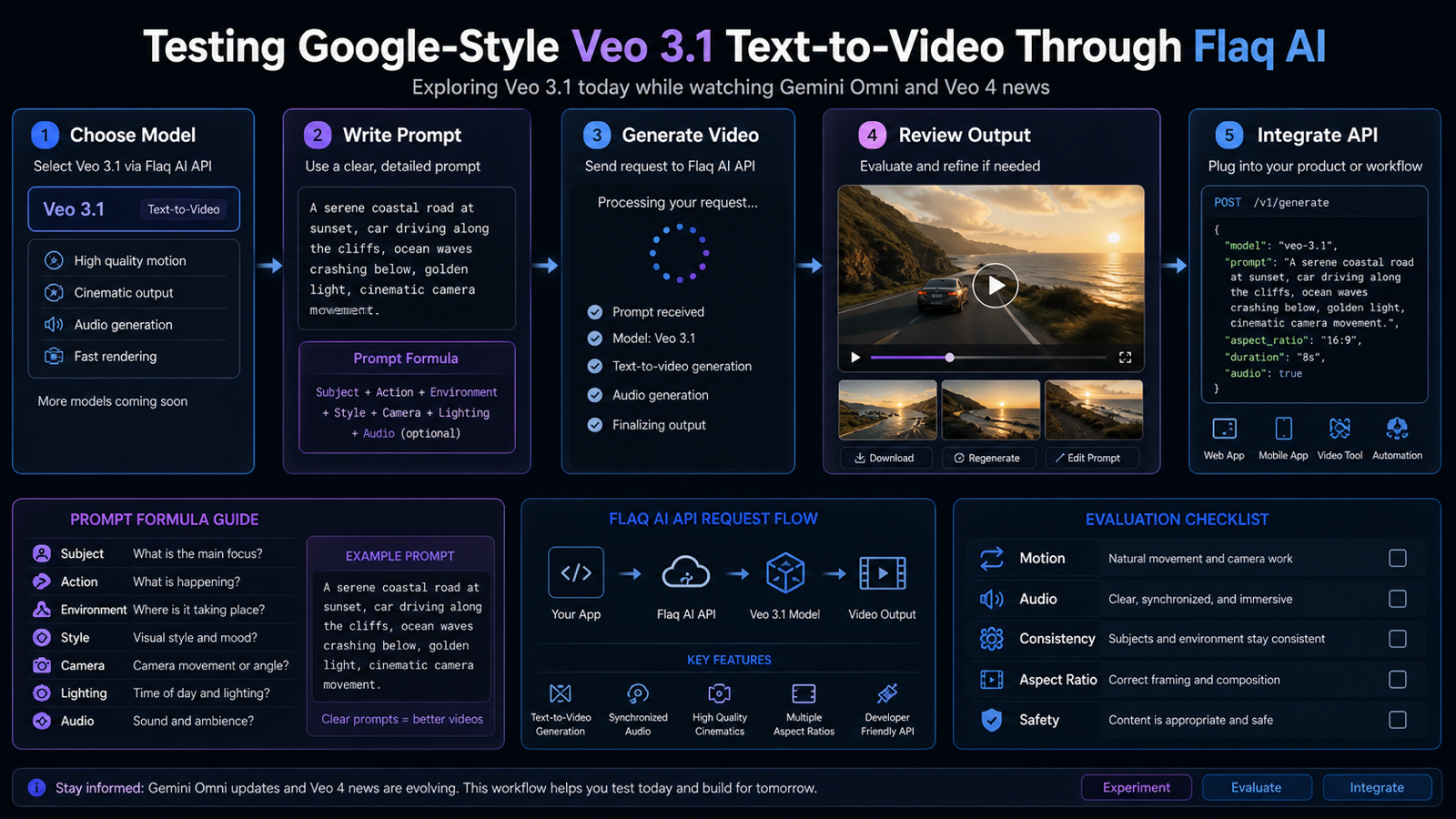
Flaq AI is useful when you want more than release news. A reader searching Google Gemini video API access is usually trying to move from curiosity to implementation. The browser playground helps with prompt feel, while the API examples help developers understand how generation requests and result polling work.
A practical Veo 3.1 testing workflow looks like this:
- Open the Veo 3.1 text-to-video model page on Flaq AI.
- Start with one short prompt and generate a clip in the browser.
- Score the result for prompt following, camera movement, subject consistency, audio fit, and editing usability.
- Revise one variable at a time, such as camera, lighting, action, or duration.
- When the prompt is stable, move to the API examples for JavaScript, Python, or cURL.
- Check current pricing, usage limits, model availability, commercial terms, and safety rules before production use.
This workflow is more useful than only reading Google Gemini Omni video update articles because it produces evidence from your own prompts. If you are building a video ad pipeline, a demo generator, or a creator tool, your own test clips matter more than model hype.
Reusable Prompt Formula for Google Gemini Video Testing
Use this formula when testing Google Gemini video generation, Veo 3.1, or a Gemini Omni-style workflow:
Create a cinematic AI video using Google Veo-style text-to-video prompting. Scene: [subject] in [setting]. Action: [specific movement or event]. Camera: [shot type, lens, movement]. Mood: [emotion/style]. Lighting: [natural/cinematic/studio/neon]. Audio: [ambient sound, music, dialogue, silence]. Visual style: [realistic, commercial, documentary, product ad, film trailer]. Duration: [short clip length]. Keep motion coherent, subject consistent, and composition clean.
The formula works because it separates creative intent into fields the model can follow. It also makes prompt testing more repeatable. If one output fails, you can adjust the action, camera, lighting, or audio note without rewriting the full brief.
Copy-to-Use Veo 3.1 and Gemini Omni-Style Prompt Examples
These prompts are designed for text-to-video testing on Flaq AI's Veo 3.1 workflow. Treat them as starting points, then adapt them to your product, audience, aspect ratio, and platform.
-
A cinematic product video of a premium smartwatch on a dark glass table, soft blue rim lighting, slow camera push-in, screen glowing subtly, realistic reflections, minimal studio background, subtle electronic ambient sound, commercial ad style.
-
A young creator walking through a rainy city street at night, neon reflections on wet pavement, handheld documentary camera, natural facial expression, soft traffic ambience, realistic urban mood, cinematic but not overproduced.
-
A close-up coffee commercial: espresso pouring into a ceramic cup, steam rising in warm morning sunlight, macro lens, slow motion, cozy kitchen atmosphere, gentle cafe ambience, realistic texture and motion.
-
A futuristic electric car driving along a coastal highway at sunset, drone tracking shot, warm orange sky, smooth road motion, cinematic lens flare, subtle wind and engine ambience, premium brand-film mood.
-
A travel vlog scene of a backpacker opening a map near a mountain lake, handheld phone-camera feel, natural daylight, light wind sound, authentic creator energy, clean vertical composition.
-
A short fashion campaign video of a model turning slowly in a minimalist studio, soft spotlight, fabric movement visible, elegant camera orbit, editorial mood, no brand logos, realistic cloth motion.
-
A product demo video of wireless earbuds opening from their charging case, close-up macro shot, clean white background, smooth camera tilt, soft click sound, modern tech commercial style.
-
A fantasy-style but realistic scene of a glowing paper lantern floating across a quiet river at night, gentle water movement, cinematic wide shot, warm light reflections, peaceful ambient sound.
-
A social media ad video for a portable blender on a kitchen counter, fruit pieces dropping into the cup, quick handheld cuts, bright natural light, realistic creator-style pacing, clear product visibility.
-
A cinematic trailer shot of a lone astronaut walking across a red desert planet, dust moving in the wind, wide-angle camera, dramatic low sun, subtle radio static, realistic sci-fi atmosphere.
How to Evaluate Google Gemini AI Video Generation Outputs
The best prompt is the one that survives a repeatable evaluation process. When testing Google Gemini Omni video generation concepts or Veo 3.1 clips on Flaq AI, score every output with production criteria instead of only asking whether it looks impressive.
| Evaluation area | What to check | Why it matters |
|---|---|---|
| Prompt following | Did the clip show the requested subject, action, camera, and mood? | Saves revision time. |
| Motion coherence | Did movement feel stable from frame to frame? | Essential for polished ads and creator clips. |
| Subject consistency | Did the product, person, or object remain recognizable? | Critical for brand and product use. |
| Audio fit | Did ambient sound or generated audio match the scene? | Helps clips feel finished. |
| Editability | Can the clip fit into a social ad, trailer, demo, or landing page? | Turns model output into usable media. |
| Compliance | Does the clip avoid restricted content, unauthorized marks, and misleading claims? | Reduces publishing risk. |
This is also the right way to think about Google Gemini Omni and Veo comparison. The better model for your use case is not always the newest name. It is the one that produces useful outputs under your current constraints.
Veo 4 Release Watch: What to Say and What to Avoid
Use cautious wording for Veo 4 Google video model rumors. It is fair to say that creators are watching for a possible next-generation Veo update. It is not fair to claim confirmed Veo 4 features, benchmark results, pricing, release dates, or API access unless Google publishes those details.
Better phrases include:
- "Veo 4 release watch"
- "possible next-generation Veo update"
- "Veo4 AI video generator search guide"
- "Veo 4 alternative available now"
- "Google Veo 4 AI video update, if officially announced"
Avoid phrases that imply confirmation, such as "Veo 4 is live," "official Veo 4 API," "Veo 4 pricing," or "Veo 4 benchmarks" unless those are backed by current official documentation. This caution protects readers and keeps the article useful as model names, pricing, access, API availability, commercial terms, and supported features change quickly.
Recommended Articles
- Google Veo 3.1 API on Flaq AI: Features & Pricing
- Flaq AI Video Models Review: Which Video API Should You Use?
- Seedance 2.0 API Guide: How to Use Flaq AI for Faster Text-to-Video Workflows
- Kling 3 API Guide: Standard vs Pro, Pricing, and How to Use It on Flaq AI
- Alibaba HappyHorse AI: A Practical New Video Model for Creators and API Builders
- Nano Banana 2 API Guide: How to Use Flaq AI for Fast Image Workflows
People Also Read
- Google's Gemini Omni Turns Images, Audio, and Text into Video
- Gemini Omni Is a New Family of AI Models Meant to Create Anything
- Veo 3.1 Official Model Overview
- Gemini Omni Video Generation Overview
- Veo 4 Release Watch: Is It Official Yet?
- The 13 Biggest Announcements at Google I/O 2026
FAQ
What is Gemini Omni?
Gemini Omni is Google's new Gemini video generation and editing direction. Google's Gemini video page describes it as a model that combines Gemini intelligence with generative media capabilities, including image-to-video and video-to-video editing.
Is Veo 4 officially released?
This article does not claim an official Veo 4 release. "Veo 4 Google" and "Veo4 AI" are popular search terms, but readers should wait for Google-confirmed naming, pricing, access, API details, and feature documentation.
What is the best Google Gemini video model to test now?
For practical text-to-video testing, Veo 3.1 on Flaq AI is the clearest recommendation in this article. It gives creators a browser workflow and gives developers API examples for building test integrations.
Is Gemini Omni replacing Veo 3.1 everywhere?
Not necessarily. Google says Gemini Omni will replace Veo in the Gemini app, but Veo 3.1 remains documented in Google developer and DeepMind contexts and is available through Flaq AI's Veo 3.1 text-to-video workflow.
Should developers wait for Gemini Omni API access?
Developers should track official Gemini Omni updates, but they do not need to wait to test video generation workflows. Veo 3.1 on Flaq AI is a practical way to test prompts, result polling, and integration patterns now.
Conclusion
The google gemini video landscape is moving in two directions at once. Gemini Omni shows Google's new multimodal video generation and editing direction, while Veo 3.1 remains the practical text-to-video access point for creators and developers who want to test real outputs now. Treat Veo4 AI video generator search guide queries as release-watch intent, not proof of an official launch. For browser testing, prompt iteration, and API integration, start with Veo 3.1 on Flaq AI and keep checking official Google sources as model names and access terms evolve.