
Choosing between Flaq AI video models is less about finding one universal winner and more about matching the right AI video API to the job you need to repeat. A cinematic text-to-video prototype, a product image animation, a UGC ad batch, a video-editing workflow, and a high-volume app integration all stress different parts of a model.
Flaq AI works as a media model and API aggregation platform: creators can test models in a Playground, while developers can integrate text-to-video, image-to-video, image, chat, and video workflows through API access. That makes it useful for comparison because you can run the same prompt across several models before choosing one for production.
This review compares the video models currently listed in the user-facing Flaq AI video model set, including Wan 2.6, Wan 2.7, Veo 3.1, Seedance, Kling, Grok Imagine, Vidu Q3, and Happy Horse. The goal is practical selection, not hype.
Quick Verdict: Best Flaq AI Video Models by Workflow
For cinematic quality, start with Veo 3.1 Text-to-Video API and Wan 2.7 Text-to-Video API. For image animation, compare Veo 3.1 Image-to-Video API, Wan 2.7 Image-to-Video API, and Seedance 2.0 Image-to-Video API. For fast short-form output, test Veo 3.1 Fast Image-to-Video API, Vidu Q3 Turbo Image-to-Video API, and Happy Horse 1.0 Text-to-Video API.
For high-volume marketing and social production, Kling 3.0 Standard Text-to-Video API, Kling 3.0 Standard Image-to-Video API, Seedance 1.5 Pro Text-to-Video API, and Seedance 2.0 Text-to-Video API are the most obvious candidates because their pages emphasize flexible aspect ratios, duration controls, sound options, and scalable production workflows.
For video editing rather than generating from scratch, use Kling Video O3 Video Edit API. It is the dedicated editing option in this set, with support for an uploaded source video, natural-language edits, optional sound settings, and output controls.
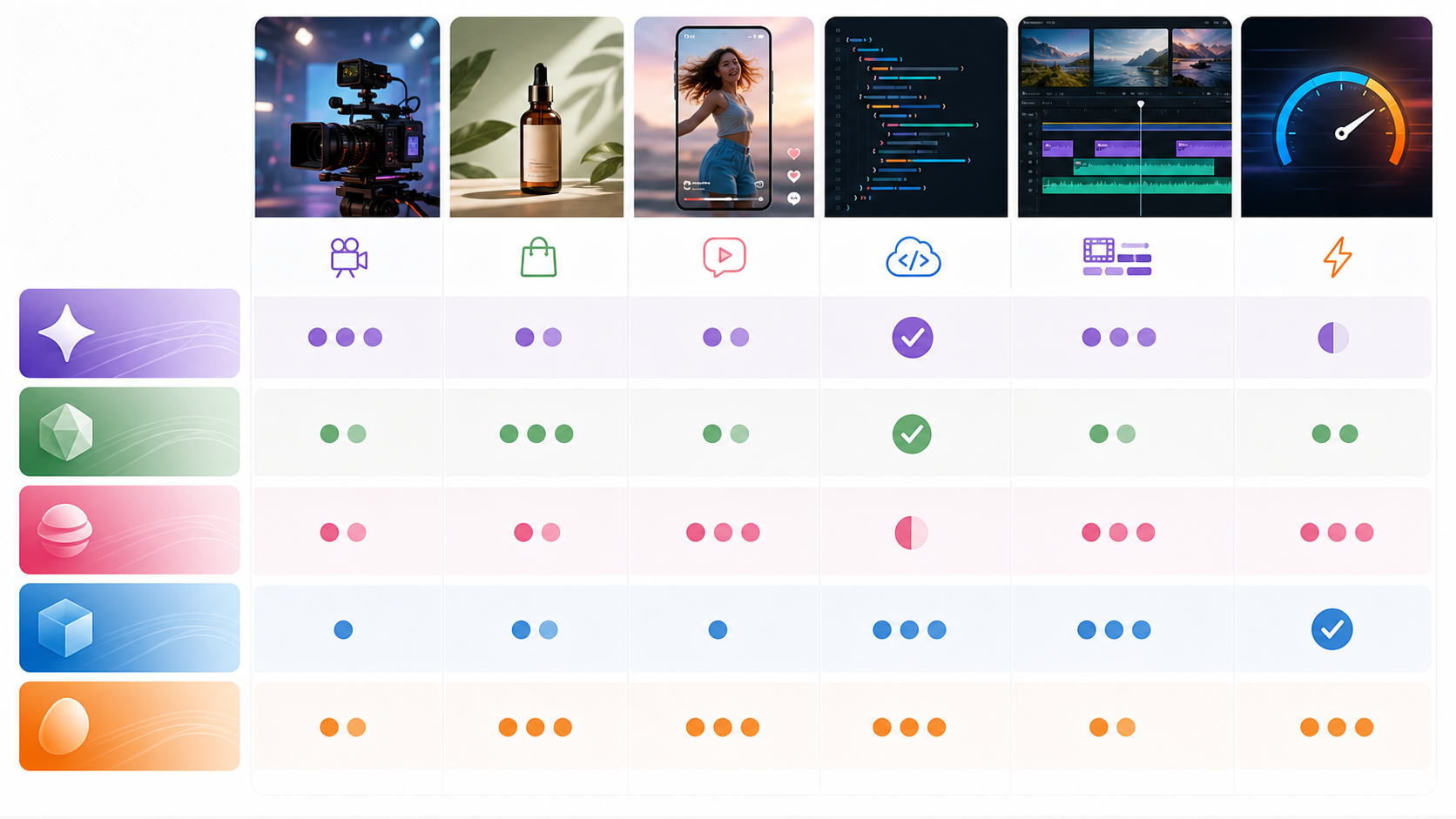
Flaq AI Video API Comparison Table
| Workflow | Strong first tests | Why it fits |
|---|---|---|
| Cinematic text-to-video | Veo 3.1 Text-to-Video, Wan 2.7 Text-to-Video, Kling 3.0 Standard Text-to-Video | Strong scene description, camera language, motion coherence, and production-style output controls. |
| Image-to-video animation | Veo 3.1 Image-to-Video, Wan 2.7 Image-to-Video, Wan 2.6 Image-to-Video | Useful when a product image, character frame, or visual reference must stay consistent while motion is added. |
| Fast short-form video | Veo 3.1 Fast Image-to-Video, Vidu Q3 Turbo Text-to-Video, Vidu Q3 Turbo Image-to-Video | Best for rapid concept testing, social variants, and shorter iteration cycles. |
| Product ads and ecommerce | Seedance 2.0 Image-to-Video, Kling 3.0 Standard Image-to-Video, Happy Horse 1.0 Image-to-Video | Product photos benefit from image-to-video control, fixed camera options, prompt guidance, and vertical/square formats. |
| UGC-style clips | Seedance 2.0 Text-to-Video, Seedance 1.5 Pro Text-to-Video, Grok Imagine Text-to-Video | Short-form UGC needs prompt fidelity, social ratios, sound options, and quick variation testing. |
| Video editing | Kling Video O3 Video Edit | The dedicated edit API supports source video input and natural-language modification. |
| High-volume production | Kling Video O3 Text-to-Video, Kling Video O3 Image-to-Video, Wan 2.6 Text-to-Video | Better for teams that need repeatable output, API access, cost control, and many variants. |
Use the table as a starting point, not a final ranking. The best text-to-video API or image-to-video API for your project depends on your prompt style, visual references, required aspect ratio, duration, audio needs, failure tolerance, and budget.
How to Choose a Text-to-Video API on Flaq AI
Choose a text-to-video model when the scene is more important than a fixed reference image. This is the right workflow for cinematic concepts, scene previsualization, abstract campaign ideas, background videos, social hooks, and automated content apps where every request starts from text.
Veo 3.1 Text-to-Video API is the obvious premium cinematic candidate. Its Flaq page emphasizes high-fidelity generation, temporal coherence, context-aware scene understanding, professional camera movements, and 16:9 or 9:16 output. Choose it when the prompt includes camera language such as dolly, aerial, tracking, close-up, or timelapse, and when the clip needs to feel polished rather than merely fast.
Wan 2.7 Text-to-Video API is also strong for cinematic and physics-heavy prompts. The page highlights 720p and 1080p output, 2-15 second durations, optional audio integration, negative prompts, seed control, and several aspect ratios. It is a good first test when you need more prompt control, object interaction, or realistic movement in a scene.
Kling 3.0 Standard Text-to-Video API is better positioned for cost-aware production. Its page emphasizes 3-15 second durations, optional audio effects, negative prompts, guidance scale, and 16:9, 9:16, and 1:1 aspect ratios. Choose it when you need many social or marketing clips and want a practical balance of quality, controls, and throughput.
Seedance 2.0 Text-to-Video API and Seedance 1.5 Pro Text-to-Video API are strong candidates for creator and social workflows. Seedance 2.0 supports optional sound, fixed camera, seed, duration, ratio, and resolution controls; Seedance 1.5 Pro emphasizes broad aspect ratio coverage, optional sound effects, and 480p, 720p, or 1080p choices. If your production calendar needs vertical posts, square ads, and multiple duration tests, Seedance deserves a side-by-side run.
Grok Imagine Text-to-Video API is useful for fast creative exploration and short-form prompts. Its page highlights prompt fidelity, rapid generation, multi-style output, duration control, and 1:1, 16:9, and 9:16 formats. Use it when you want quick ideation across visual styles before investing in a more controlled final pass.
How to Choose an Image-to-Video API for Animation
Choose an image-to-video model when the input frame matters. Product photos, character designs, brand assets, fashion shots, food images, app screens, and ecommerce visuals often need the original composition to remain recognizable while the model adds motion.
Veo 3.1 Image-to-Video API is the premium option for cinematic animation. Its Flaq page highlights start and end frame control, style preservation, camera movement, temporal coherence, and 16:9 or 9:16 support. Use it when the image needs careful motion that still looks like the original scene.
Veo 3.1 Fast Image-to-Video API is the speed-oriented sibling. Flaq describes it as faster and lower cost than standard Veo 3.1 while still supporting start and end frame control, camera movement, and 16:9 or 9:16 output. Use it for testing batches of product photos, thumbnails, or social concepts before escalating the winning prompt to a premium pass.
Wan 2.7 Image-to-Video API is a strong image animation candidate when you need duration flexibility, optional audio, negative prompts, seed control, and start/end frame guidance. Wan 2.6 Image-to-Video API is the more established Wan option, with built-in audio support, start frame guidance, and 720p/1080p positioning on its Flaq page. Test both when physics, style consistency, and realistic object motion matter.
Wan 2.6 Text-to-Video API also belongs in the comparison set if you want a proven text-to-video API before moving to newer Wan 2.7 tests. It is especially useful as a baseline model: run the same prompt on Wan 2.6 and Wan 2.7, then compare motion quality, prompt fidelity, and failure rate before deciding whether the newer option is worth using for that workflow.
Seedance 2.0 Image-to-Video API is attractive for product and UGC-style animation because it includes optional sound, fixed camera, seed, duration, ratio, and resolution controls. The fixed-camera option is especially useful when the product should remain centered and stable instead of drifting through the frame.
Vidu Q3 Turbo Image-to-Video API fits fast image animation. Its Flaq page highlights 1-15 second duration, 540p, 720p, and 1080p choices, optional sound and background music, and a speed-oriented workflow. Use it when you need a fast batch of animation tests for social media or product concepts.
Best Models for Cinematic Quality
For cinematic clips, start with Veo 3.1, Wan 2.7, and Kling 3.0 Standard. These models are the safest first tests when your prompt includes lighting, camera movement, subject action, scene continuity, or polished commercial framing.
Use Veo 3.1 Text-to-Video API when the concept is more like a film shot: a subject in a clear environment, a defined camera move, a mood, and a visual style. Pair it with Veo 3.1 Image-to-Video API when you already have a hero still, product frame, or generated image that needs cinematic motion.
Use Wan 2.7 Text-to-Video API or Wan 2.7 Image-to-Video API when your priority is controllable motion, prompt adherence, negative prompt control, seed repeatability, and 2-15 second duration flexibility. The Wan 2.7 pages also include optional audio support, which can reduce post-production steps for some clips.
Use Kling 3.0 Standard Text-to-Video API when you need cinematic-enough results but production economics matter. It may be the more practical choice for campaign variations, creator workflows, and automated pipelines that cannot spend premium resources on every test.
Best Models for Speed and High-Volume Production
Speed is not just render time. It also includes how quickly a team can test, reject, revise, and generate again. The models most aligned with fast iteration on Flaq AI are Veo 3.1 Fast, Vidu Q3 Turbo, Happy Horse 1.0, Kling 3.0 Standard, and Seedance.
Veo 3.1 Fast Image-to-Video API is best when you already have images and want to test motion quickly. It is a strong candidate for A/B testing hero visuals, ecommerce thumbnails, social video intros, and ad concepts.
Vidu Q3 Turbo Text-to-Video API and Vidu Q3 Turbo Image-to-Video API fit low-latency creative workflows. The image-to-video page emphasizes fast animation, optional sound controls, background music, 1-15 second duration, and multiple resolution options, which is useful for high-throughput social production.
Happy Horse 1.0 Text-to-Video API and Happy Horse 1.0 Image-to-Video API are worth testing for cost-effective production and rapid iteration. The text-to-video page describes it as a practical option for product teams, creative studios, and scalable content pipelines with multiple aspect ratios and resolution options.
For developer-facing volume, also test Kling Video O3 Text-to-Video API and Kling Video O3 Image-to-Video API. The O3 text page highlights MVL-powered scene generation, 3-15 second durations, optional audio effects, and API-oriented generation controls, making it a practical high-volume candidate.
Best Models for Product Ads and UGC-Style Clips
Product ads and UGC-style clips need a different evaluation lens. The clip does not always need to look like a film scene; it needs to communicate the product clearly, hold attention, preserve brand assets, and generate many variants.
For product-image animation, start with Seedance 2.0 Image-to-Video API, Kling 3.0 Standard Image-to-Video API, Wan 2.7 Image-to-Video API, and Vidu Q3 Turbo Image-to-Video API. These are useful when the input asset must stay recognizable.
For UGC-style text prompts, test Seedance 2.0 Text-to-Video API, Seedance 1.5 Pro Text-to-Video API, Grok Imagine Text-to-Video API, and Kling 3.0 Standard Text-to-Video API. The best result will depend on whether the prompt needs a realistic person, a product demonstration, a short hook, or a stylized scene.
For ecommerce, keep one rule: use image-to-video when product accuracy matters, and text-to-video when the product is fictional, abstract, or secondary to the scene. A product photo animation with a fixed camera is often safer than asking a text model to invent a product from scratch.
Best Model for Video Editing
If the workflow starts with an existing clip, use Kling Video O3 Video Edit API. It is the only requested model here that is explicitly a video-edit endpoint rather than a text-to-video or image-to-video generator.
The page supports uploaded images, a source video, a prompt, prompt optimization, sound controls, ratio, resolution, and generation. Its README positions the model for natural-language editing of source videos up to 10 seconds, with semantic scene modification, style transfer, object-level manipulation, and temporal coherence preservation.
Use it for tasks such as changing a background, refreshing a product video, creating localized variants, adjusting visual style, or testing ad edits without a full reshoot. It is less relevant if you have no source clip and need the model to create the whole scene from text.

API Workflow: How to Test Flaq AI Video Models Before Production
The smartest Flaq AI video API workflow is to test the same prompt across several models before committing to one. This avoids choosing based on model reputation instead of your actual output requirements.
Use this testing process:
- Write one baseline prompt with subject, motion, camera, setting, style, duration, ratio, and quality constraints.
- Run it on one premium model, one fast model, and one cost-aware model.
- Keep every other variable as stable as possible: aspect ratio, duration, resolution, source image, seed if available, and sound setting.
- Review outputs using the same checklist: prompt fidelity, motion quality, identity consistency, scene stability, artifacts, audio usefulness, and regeneration cost.
- Pick one production model and one fallback model.
- For high-volume workflows, test error handling, queue behavior, CDN delivery, and prompt safety failures before launch.
Flaq AI is useful here because the same site provides Playground testing and API-oriented model pages. A creator can compare outputs visually, while a developer can think ahead to inputs, outputs, request parameters, and production routing.
Practical Recommendations by User Type
Creators should start with Playground testing. If you are making one cinematic clip, try Veo 3.1 and Wan 2.7 first. If you are animating a product image, compare Veo 3.1 Image-to-Video, Wan 2.7 Image-to-Video, Seedance 2.0 Image-to-Video, and Vidu Q3 Turbo. If you are making many social clips, test Seedance, Kling, Happy Horse, and Grok Imagine.
Agencies should build a two-tier workflow. Use a fast or cost-aware model for early exploration, then rerun selected concepts through a higher-quality model for final delivery. This keeps budgets under control while still giving the client polished options.
Developers should treat model choice as routing logic. A production app may send product images to image-to-video models, abstract prompts to text-to-video models, quick previews to fast models, and revision requests to Kling Video O3 Video Edit. The best AI video API for developers is often a model stack, not one endpoint.
High-volume teams should document model behavior. Track which prompts fail, which ratios work, how often the product changes shape, whether sound helps or hurts, and how stable the results remain across batches. Those notes will matter more than a generic model ranking.
Recommended Reading
In-site articles:
- VEO 3.1 Text-to-Video API on Flaq AI: Features, Pricing, and How to Use It
- Kling 3 API Guide: Standard vs Pro, Pricing, and How to Use It on Flaq AI
- Seedance 2.0 API Guide: How to Use Flaq AI for Faster Text-to-Video Workflows
- Wan 2.7 API Guide: How to Use It on Flaq AI, What It Does Well, and What to Know Before You Build
- Alibaba HappyHorse AI: A Practical New Video Model for Creators and API Builders
People also read:
- Veo 3.1 Video Generation Guide: How to Create Cinematic Clips
- How to Use DreamMachine AI’s AI Video Generator: A Practical Guide for Text and Image Workflows
- VideoWeb AI Video Generator 2026: One Hub, Every AI Video Workflow
- SeaImagine AI Text-to-Video Guide: How to Choose Models and Create Better Clips
- How to Use the AI Music Video Generator: A Detailed Guide from Song to Video
FAQ
What are the best Flaq AI video models for creators?
For creators, start with Veo 3.1 or Wan 2.7 for cinematic quality, Seedance 2.0 or Kling 3.0 Standard for social and product workflows, and Vidu Q3 Turbo or Veo 3.1 Fast when iteration speed matters. The best choice depends on whether you need text-to-video, image-to-video, or video editing.
What is the best AI video API for developers on Flaq AI?
The best AI video API for developers is usually the one that matches the app’s routing logic. Use text-to-video for prompt-first generation, image-to-video for product or reference-based animation, Kling Video O3 Video Edit for existing clips, and faster models for previews or high-volume testing.
Which text-to-video API should I test first?
Test Veo 3.1 Text-to-Video API first for premium cinematic prompts, Wan 2.7 Text-to-Video API for controlled motion and prompt adherence, and Kling 3.0 Standard Text-to-Video API for cost-aware production.
Which image-to-video API is best for product videos?
Start with Veo 3.1 Image-to-Video API for premium animation, Seedance 2.0 Image-to-Video API for product-friendly fixed-camera workflows, and Vidu Q3 Turbo Image-to-Video API for fast product animation tests.
Should I choose one model for all production?
Usually no. A stronger workflow is to test several Flaq AI video models with the same prompt, then keep one primary model and one fallback model for each use case. Cinematic hero clips, UGC ads, product animations, editing tasks, and preview generations often need different model choices.
Conclusion
The best Flaq AI video models are the ones that fit your repeatable workflow. Use Veo 3.1 and Wan 2.7 when quality and cinematic control matter. Use Seedance, Kling, Happy Horse, Grok Imagine, and Vidu Q3 when speed, volume, social formats, and iteration matter. Use Kling Video O3 Video Edit when the job is editing an existing clip instead of generating a new one.
For teams choosing an AI video API, Flaq AI’s practical advantage is model comparison in one place: test in the Playground, compare text-to-video and image-to-video results, then integrate the model that performs best on your real prompts.