Quick answer: Flaq AI is the more direct choice when a product needs conventional REST-based Seedance 2.0 automation. Its model pages publish separate text-to-video, image-to-video, and reference-to-video request schemas, plus Standard, Fast, and Mini routes. Higgsfield AI is better understood as a creator platform with programmatic access through Higgsfield MCP and Higgsfield CLI, not as a general public Seedance 2.0 REST API.
That distinction matters. A SaaS backend that submits jobs, stores task IDs, polls status, and retrieves output URLs has different integration needs from a creative agent operating a production environment. This comparison explains both access models without pretending they are equivalent.

Higgsfield Seedance 2.0 API vs Flaq AI: The Access Model Difference
The phrase Higgsfield Seedance 2.0 API can lead developers toward the wrong assumption. Higgsfield currently says it does not offer a general public REST API. Its programmatic surfaces are Higgsfield MCP and Higgsfield CLI, which let compatible agents or terminal workflows interact with supported capabilities.
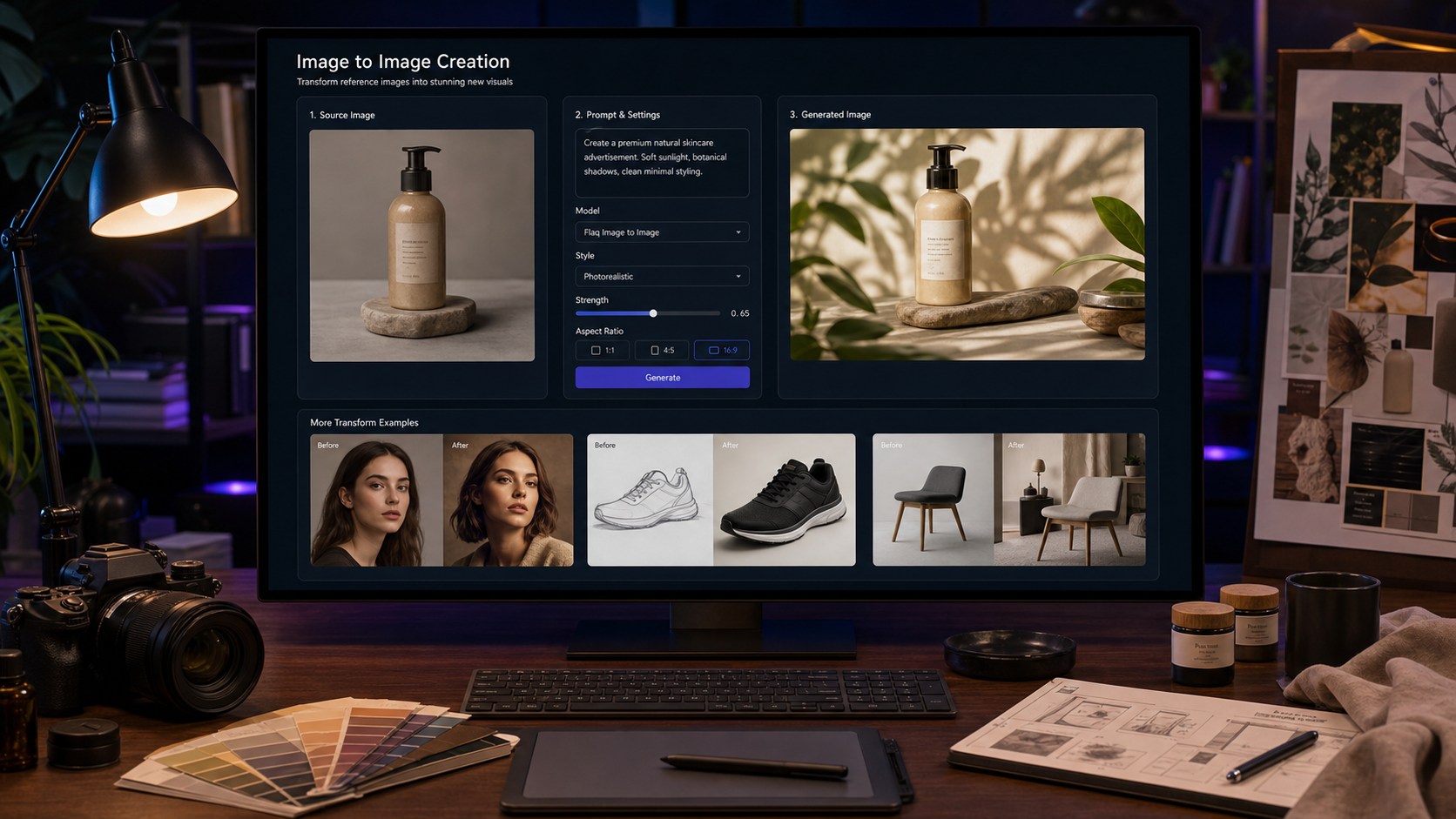
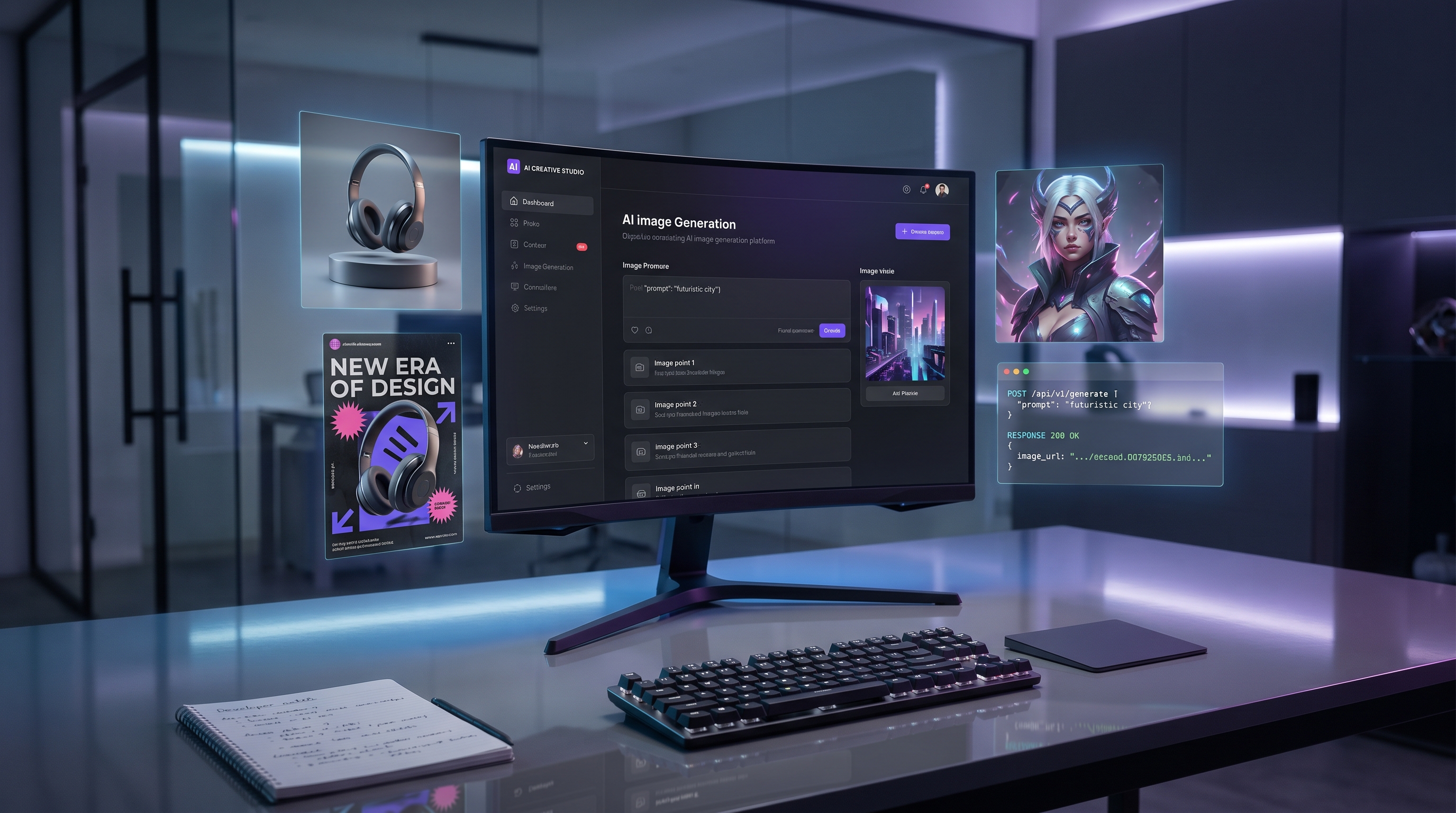
Flaq AI takes the more familiar backend route. Its published Seedance pages show bearer authentication, JSON request bodies, model identifiers, asynchronous task creation, and a polling URL. There is also a browser playground for testing supported routes before writing integration code.
| Question | Higgsfield AI | Flaq AI |
|---|---|---|
| General public Seedance REST API | Not currently presented | Yes, model-specific REST-style routes |
| Programmatic access | MCP and CLI | HTTP requests with bearer authentication |
| Creator environment | Strong integrated production experience | Browser playground plus API model pages |
| Best fit | Creative agents, model switching, character tools, supervised production | Server-side apps, batch jobs, SaaS features, repeatable pipelines |
| Main integration caveat | Do not assume every web model or special offer is available through MCP/CLI | Confirm each route's live status and accepted parameters |
Higgsfield's model switching, camera tools, persistent-character features, and production studios can be valuable when a human creative team wants several tools in one environment. MCP and CLI also suit agent-led sessions. However, they should not be documented internally as a REST endpoint.
Flaq AI is easier to map onto a conventional service architecture:
- Your backend selects the model route that matches the input.
- It submits a JSON payload to the video-task endpoint.
- It persists the returned task ID.
- A worker polls until the task succeeds or fails.
- It stores the output URL and sends the clip to human review.
One more boundary deserves attention: special Higgsfield web access for an enhanced Fast experience may not be available through MCP, CLI, Canvas, or Supercomputer. Confirm the exact programmatic model list rather than assuming the web catalog and agent catalog are identical.

Flaq AI Endpoint Coverage: Standard, Fast, and Mini
The official Seedance 2.0 overview describes one multimodal model architecture that can use text, image, audio, and video inputs. Third-party services can expose that model through narrower routes. On Flaq AI, developers must choose the endpoint that matches the actual input type.
| Workflow | Flaq model identifier | Primary inputs | Current page state |
|---|---|---|---|
| Standard text-to-video | seedance-v2.0-text-to-video | Prompt | API example and browser controls published |
| Standard image-to-video | seedance-v2.0-image-to-video | Prompt, start image, optional end image | API example and browser controls published |
| Standard reference-to-video | seedance-v2.0-reference-to-video | Prompt, reference audio and/or video | API schema published; playground currently says “Coming Soon” |
| Fast text-to-video | seedance-v2.0-fast-text-to-video | Prompt | API example and browser controls published |
| Fast image-to-video | seedance-v2.0-fast-image-to-video | Prompt, start image, optional end image | API example and browser controls published |
| Fast reference-to-video | seedance-v2.0-fast-reference-to-video | Prompt, reference audio and/or video | API schema published; playground currently says “Coming Soon” |
| Mini text-to-video | seedance-v2.0-mini-text-to-video | Prompt | API example and browser controls published |
| Mini image-to-video | seedance-v2.0-mini-image-to-video | Prompt, start image, optional end image | API example and browser controls published |
The shared submission URL shown on these pages is:
POST https://api.flaq.ai/api/v1/video/task
The model field determines which route handles the task. This does not make the routes interchangeable. Do not send reference assets to the text-only model or assume a Standard parameter exists on Mini. Validate the live schema for each model during deployment.
The current Standard and Fast examples include controls such as prompt, resolution, duration, aspect_ratio, sound, and camera_fixed. Image-to-video adds image_url and an optional image_end_url. Reference-to-video examples show audio_url and video_url. Mini examples use a slightly different field set and include seed.
Flaq's visible controls currently show 4–15 second durations on several routes. The reference page describes MP3/WAV input up to 15 MB and lists 480p or 720p output in its README. Those details can change, so fetch or validate the live model schema instead of freezing them into application logic.

How Flaq Authentication, Submission, Polling, and Retrieval Work
A basic Flaq AI Seedance 2.0 text-to-video API integration uses a bearer token and an asynchronous job. Keep the key on the server, never in browser JavaScript or a mobile binary.
Submit a task
curl --request POST \
  --url https://api.flaq.ai/api/v1/video/task \
  --header "Authorization: Bearer $FLAQ_API_KEY" \
  --header "Content-Type: application/json" \
  --data '{
    "model": "seedance-v2.0-text-to-video",
    "prompt": "A lone traveler crosses a rain-covered railway station at night, slow lateral tracking shot, realistic walking motion, stable architecture",
    "resolution": "720p",
    "duration": 8,
    "aspect_ratio": "16:9",
    "sound": true,
    "camera_fixed": false
  }'
Persist the returned task ID alongside your internal job ID, selected model, normalized prompt, input-asset hashes, requested settings, and submission time. Redact authorization headers from logs.
Poll the task
curl --request GET \
  --url "https://api.flaq.ai/api/v1/video/$TASK_ID" \
  --header "Authorization: Bearer $FLAQ_API_KEY"
The published examples inspect data.task_status. On success, the video URL is shown under data.task_result.videos[0].url; on failure, the examples surface data.task_status_msg.
A production worker should add:
- Exponential backoff with jitter rather than polling every second.
- A total timeout and a terminal state for jobs that never complete.
- Retry rules that distinguish network errors from generation failures.
- Deduplication or an application-level idempotency key if the provider does not document native idempotency.
- Durable storage for results before temporary provider URLs expire.
- Schema validation for every response, including empty video arrays.
- A dead-letter queue for repeated failures and manual inspection.
Do not design around webhooks unless current documentation confirms them. The public examples reviewed for this article demonstrate polling. Also test how the service reports moderation failures, invalid asset URLs, timeouts, and balance errors before exposing generation to customers.
Image-to-video request difference
For product animation, switch to seedance-v2.0-image-to-video and add the hosted input:
{
  "model": "seedance-v2.0-image-to-video",
  "prompt": "Preserve the exact bottle and create a slow premium orbit shot",
  "image_url": "https://your-cdn.example/product-start.jpg",
  "image_end_url": "https://your-cdn.example/product-end.jpg",
  "resolution": "720p",
  "duration": 8,
  "aspect_ratio": "9:16",
  "sound": true,
  "camera_fixed": false
}
Use signed, short-lived asset URLs when supported by your storage setup. Avoid sending private customer media through public buckets merely to satisfy URL-based inputs.

Creative Controls and Production Fit for Automated Video Pipelines
Seedance 2.0's underlying appeal is multimodal direction. ByteDance says the model supports text, image, audio, and video references, with control over performance, lighting, shadows, and camera movement. A third-party endpoint may expose only part of that surface, so production design begins with the route, not the marketing summary.
Match the input to the route
- Text-to-video: concept clips, establishing shots, background footage, and prompt-generated campaign ideas.
- Image-to-video: ecommerce products, approved key art, character portraits, start/end-frame transitions, and brand-controlled stills.
- Reference-to-video: motion, audio rhythm, performance, or visual references when the live route accepts them.
- Fast: iteration loops where speed and cost need to be tested against usable-output rate.
- Mini: high-volume experiments where lower per-second pricing may matter more than maximum fidelity.
Where Higgsfield fits
Higgsfield AI is compelling when the work happens inside an integrated creative environment. Teams may prefer its model switching, camera-oriented tools, character consistency, and supervised production studios. Higgsfield MCP and Higgsfield CLI can also let an agent invoke supported creative capabilities without a conventional REST integration.
That makes Higgsfield a sensible choice for:
- Creative directors supervising multi-model experiments.
- Agents operating within an MCP-compatible environment.
- Character-led campaign development.
- Teams that value a unified production surface over endpoint-level control.
Flaq AI is the clearer fit for:
- Backend services that generate video from application events.
- Batch product-video creation from catalog assets.
- Automated ad-variant and social-video pipelines.
- SaaS products that need explicit model IDs and job states.
- Server-side systems with their own approval, storage, billing, and publishing layers.
Keep a human approval gate
Automation should stop before publication. Review identity consistency, hands, contact physics, product shape, label fidelity, dialogue order, lip movement, audio artifacts, claims, and rights. Commercial workflows also need consent for people and voices, licenses for source media, and a documented decision on generated-output usage rights.
For ecommerce, compare the animated result with the source SKU. For advertising, reject unsupported product claims. For social publishing, keep platform policies, disclosure requirements, and music rights in the release checklist.

Cost, Reliability, API Test Prompts, and Final Recommendation
As checked on July 30, 2026, Flaq's model pages display the following per-second prices:
| Variant | 480p | 720p | Higher resolutions shown |
|---|---|---|---|
| Standard text/image routes | $0.0960/sec | $0.1920/sec | 1080p $0.4800/sec; 4K $0.9600/sec |
| Fast text/image routes | $0.0800/sec | $0.1600/sec | Not listed on the reviewed Fast price table |
| Mini text/image routes | $0.0540/sec | $0.1080/sec | Not listed on the reviewed Mini price table |
These are snapshots, not a purchasing guarantee. Check Flaq AI, the selected model page, and current account terms immediately before launch. The reviewed reference-route pages did not expose a comparable price table and showed “Coming Soon” in the playground, so confirm actual API activation and billing before integrating them.
The useful metric is not advertised cost per second. It is:
cost per usable clip =
total generation spend / clips that pass review
Track queue latency, generation latency, successful completion rate, review pass rate, retries, moderation failures, storage lifetime, and total cost by model and use case. Test concurrency and rate limits with provider approval; do not infer capacity from one successful request.
Reusable API test formula
Create a [duration]-second [aspect ratio] video featuring [subject] in [environment]. The subject performs [specific action sequence]. Use [shot type] and [camera movement] with [lighting and visual style]. Preserve [reference details]. Generate [dialogue, music, ambience, or effects] when supported. End with [final frame]. Avoid [specific visual or audio failures].
Keep prompt, inputs, duration, resolution, seed, and review rubric identical wherever each system permits. Record the endpoint, model variant, number of attempts, latency, and total spend.
Eight copy-to-use tests
- Text baseline: “Create an eight-second cinematic shot of a lone traveler walking through a rain-covered railway station at night. Use a slow lateral tracking shot, realistic walking motion, reflected neon light, natural coat movement, distant train ambience, and a stable face.”
- Product animation: “Animate the uploaded perfume bottle into a premium vertical advertisement. Preserve its exact shape, label, cap, colors, proportions, and materials. Begin with a macro shot, orbit slowly, and finish with a centered hero frame.”
- Reference consistency: “Use the uploaded character references to create a medium shot in which the same character enters the room, sits beside the window, and looks toward the camera. Preserve face, hairstyle, outfit, body proportions, and room design.”
- Native audio: “Create a nighttime café scene with two fictional adults. One says, ‘We need to leave before sunrise.’ The other replies, ‘Then stop asking questions.’ Maintain speaking order, distinct voices, accurate lip movement, and quiet café ambience.”
- Camera control: “Begin with an extreme close-up of a motorcycle headlight. Pull backward into a low tracking shot as the motorcycle accelerates, then rise into a wide aerial view. Preserve the vehicle and rider.”
- Physical motion: “Create a slow-motion shot of sparkling water poured into a glass with ice and lemon. Show realistic splashes, bubbles, condensation, refraction, ice movement, and synchronized pouring sounds.”
- UGC ad: “Create a 15-second vertical creator-style advertisement for the uploaded product. Start with a direct-to-camera hook, show a practical demonstration, explain one verified benefit, and end with a product close-up and CTA.”
- Batch variants: “Generate five opening variations for the same product advertisement. Preserve the product, creator, setting, benefit, and CTA. Change only the first camera movement, opening line, facial reaction, and visual hook.”
FAQ
Does Higgsfield offer a public Seedance 2.0 REST API?
Not currently. Higgsfield presents programmatic access through MCP and CLI. Confirm the available model list because a model or special offer in the web product may not be exposed through those agent surfaces.
Is Flaq's Seedance API one universal endpoint?
The submission URL is shared in the examples, but the model identifiers and accepted inputs differ. Text-to-video, image-to-video, and reference-to-video should be treated as separate routes.
Which Flaq variant should a developer choose?
Start with Standard as the quality baseline, then test Fast and Mini against the same prompt and review rubric. Choose by cost per accepted output, not by name or listed price alone.
Can Seedance 2.0 generate sound?
ByteDance describes joint audio-video generation, and Flaq's reviewed Standard, Fast, and Mini examples include a sound control. Verify audio support on the exact route and test dialogue timing, ambience, effects, and synchronization.
Which option is better for server-side automation?
Flaq AI is the practical recommendation for a conventional backend because it publishes model-specific HTTP examples and asynchronous task polling. Higgsfield is better suited to teams that prefer its integrated creator environment or agent access through MCP/CLI.
Final verdict
For a SaaS feature, ecommerce pipeline, batch ad system, or server-side generator, start with the relevant Flaq AI Seedance 2.0 endpoint. It offers the clearer integration shape: explicit model IDs, bearer authentication, asynchronous task IDs, polling, and output retrieval.
Choose Higgsfield AI when the priority is an integrated creative production experience, persistent characters, cross-model work, or an agent operating through MCP or CLI. Just do not label that path a public REST API.
The strongest evaluation is small and repeatable: run the same eight tests, capture total cost and latency, review every output, and select the system that produces the highest number of usable clips for your actual workflow.
Recommended webpages
- Official Seedance 2.0 model overview
- Official BytePlus Seedance 2.0 API documentation
- Flaq AI text-to-video endpoint
- Flaq AI image-to-video endpoint
- Flaq AI reference-to-video endpoint
- Flaq AI Fast text-to-video endpoint
- Flaq AI Mini text-to-video endpoint
Related articles
- Seedance 2.0 API Guide for Text-to-Video Workflows
- Flaq AI Video Models Review
- WaveSpeed Seedance 2.0 API Alternative
- Seedance 2.0 Mini API Launch Watch